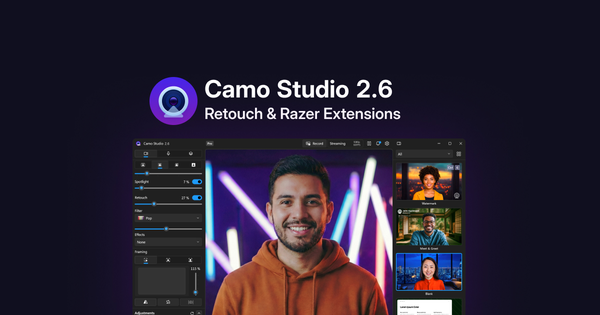
With Camo Studio 2.6, we’re introducing Retouch, a new effect that enhances your digital appearance on video, alongside a deeper integration with Razer’s Kiyo V2 webcams that gives you greater control of the capabilities these devices have to offer. Watch Eden’s walkthrough of Retouch in action, and read on for more on everything that’s new.
Retouch
We push high resolutions and sharp optics for good reason - detail matters. But not every Monday morning call needs to be captured in 4K clarity. Sometimes, a softer touch might be what’s needed.
Just as background modes help quiet your surroundings and keep your audience focused on what matters, Retouch gently softens your image, reducing visual noise and keeping your audience’s attention on what you have to say rather than what the camera captures. It’s not a filter that overhauls how you look - it’s a subtle effect that simply helps you feel comfortable and confident on camera.
The Retouch effect is controlled with a slider, and works best as a light touch. Like Spotlight, Retouch is saved as part of your scene, so once you’ve found the right level it’s there whenever you need it. It runs on your machine’s NPU for efficient, real-time processing that reacts naturally to changes in your lighting and environment.
Enhanced integration with Razer Kiyo V2 devices
With Camo 2.6, we're bringing deeper support for the capabilities of Razer's Kiyo V2 and V2 X into Camo Studio, making it easier to configure functions like HDR, video noise reduction, and exposure, alongside the rest of your video setup.
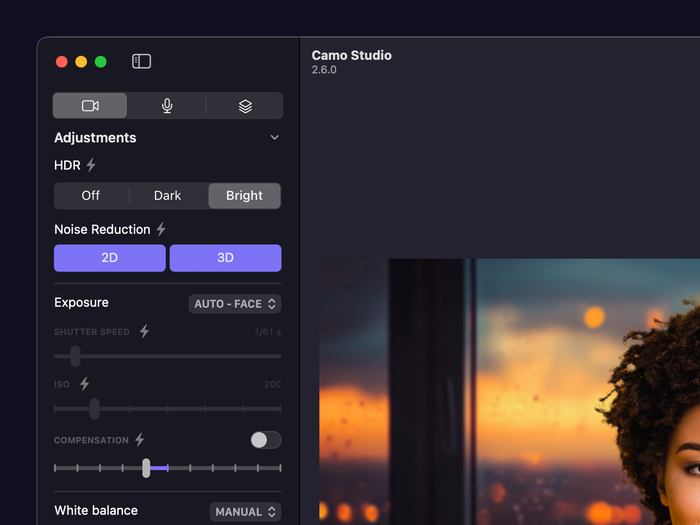
New adjustments and controls for Razer Kiyo V2 range of webcams.
HDR is exclusive to the Kiyo V2, and enabling it can have a big impact - particularly in scenes with strong backlighting or uneven lighting, where camera sensors might otherwise struggle to expose you and your background. Noise Reduction (available on both the V2 and V2 X) tackles the pixelated artifacts that creep into video in low-light conditions, cleaning up the image with just a click.
Also for the Kiyo V2, we're adding a Responsive Auto Focus mode for quicker adjustment when objects move toward or away from the lens, and for both cameras, a set of expanded exposure controls for users who know exactly how they want their scene set up - including new exposure modes, continuous shutter speed, direct ISO controls, and EV (exposure compensation).
Also in this update
We’ve made a couple of improvements to make getting into and around Camo Studio a smoother experience.
Simpler sign-in with SSO. Setting up and signing into your Camo account can now be done with Google SSO, and Razer ID is available as an option too. Users can also link their existing accounts to a Google account or Razer ID by following these instructions.
New titlebar menu. The app menu on Windows is moving into the titlebar, next to the notifications icon, making it easier to discover and navigate to other parts of the app – such as Add-ons, Settings and more.
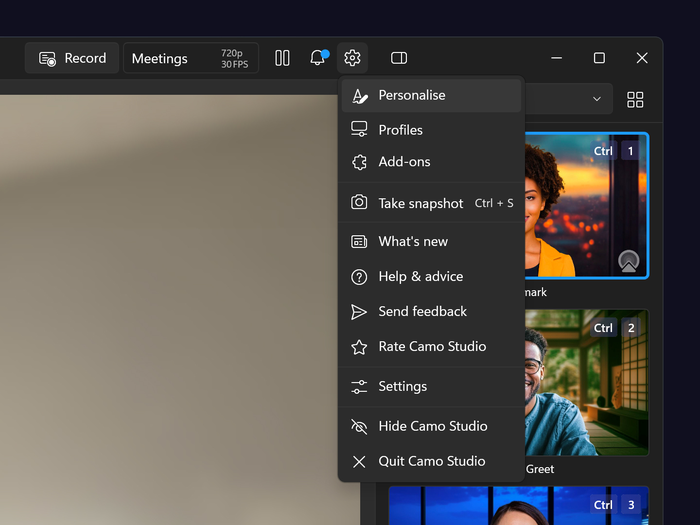
The relocated titlebar menu in Camo Studio for Windows.
These updates are available today on macOS and Windows. For the full list of changes, check out the release notes.
We’re always looking for ways to make Camo Studio better, and your feedback plays a big part in shaping what comes next. If you have thoughts on this update – or ideas for what you’d like to see in future releases – we’d love to hear from you.