最新动态
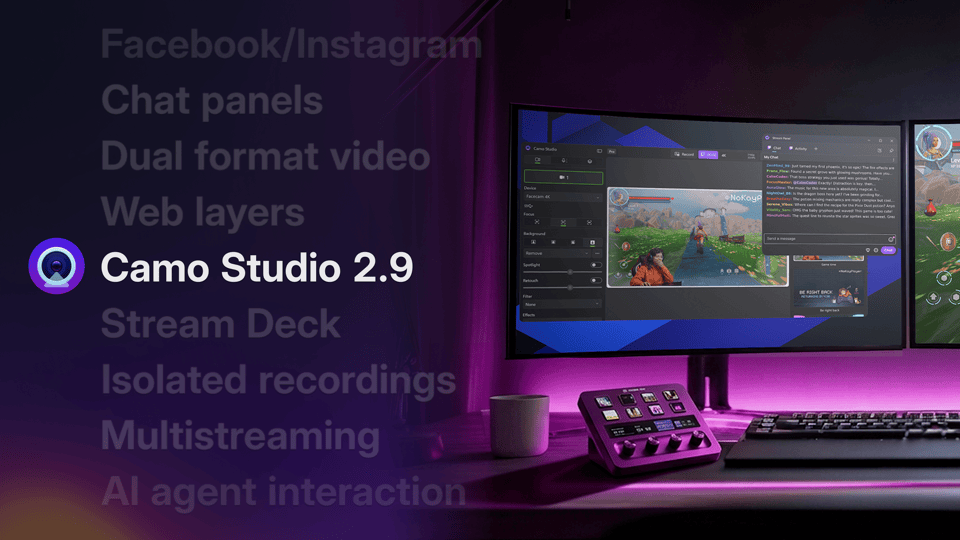
隆重推出 Camo Studio 2.9
Camo Studio 2.9 为 Windows 带来了多路直播、网页图层、可停靠的直播面板以及 Elgato Stream Deck 插件,并为 macOS 带来了双格式视频、独立录制、降噪功能和 AI 智能体支持——两个平台均可直接推流至 Facebook 和 Instagram。
 Lucas Canino
 最新动态
Camo Studio 2.9 为 Windows 带来了多路直播、网页图层、可停靠的直播面板以及 Elgato Stream Deck 插件,并为 macOS 带来了双格式视频、独立录制、降噪功能和 AI 智能体支持——两个平台均可直接推流至 Facebook 和 Instagram。
Lucas Canino This update improves Camo Studio's AI effects on PCs with NVIDIA's Arm-based RTX Spark processors.
Let us know what you think by using the in-app feedback mechanism or via camo.com/support. We'd love to help and hear from you.
This update improves recording and streaming when your PC is busy, and makes the "Insufficient system resources" warning more accurate.
Let us know what you think by using the in-app feedback mechanism or via camo.com/support. We'd love to help and hear from you.
This update fixes a few audio issues.
Let us know what you think by using the in-app feedback mechanism or via camo.com/support. We'd love to help and hear from you.
Today's update introduces dual-format streaming and recording, so you can go live in landscape and portrait at the same time — alongside Facebook and Instagram streaming, layer masks, stacks that lay out your layers automatically, isolated recordings, audio noise reduction and control of Camo Studio from AI agents. As usual, the release is also packed with performance optimisations and fixes. Let us know what you think by using the in-app feedback mechanism or via: camo.com/support. We'd love to help and hear from you.
Today's update is all about going live. You can now stream to several destinations at once with multistreaming, reach new audiences on Instagram, Facebook and Kick, and keep an eye on your chat and stream info with stream panels. We've also brought live web pages into your scenes with web layers, added an Elgato Stream Deck plugin, and redesigned onboarding to get you set up faster.
Let us know what you think by using the in-app feedback mechanism or via camo.com/support. We'd love to help and hear from you.
Today's update brings multi-source audio mixing to everyone in Camo Studio. You can now combine several inputs at once in a new Audio tab: your microphones, your phone's mic, your computer's system audio and audio from a specific app. We've also added a scene background layer, along with the usual round of improvements and fixes.
Let us know what you think by using the in-app feedback mechanism or via camo.com/support. We'd love to help and hear from you.
This release is all about reliability: screen capture layers now come back properly when you relaunch Studio or reconnect a display, your recordings and streams keep multichannel audio intact, and Studio can now recover on its own when a camera stops sending video. Let us know what you think by using the in-app feedback mechanism or via: camo.com/support. We'd love to help and hear from you.
This release fixes a crash that could stop Camo Studio from opening on macOS Monterey after updating from an earlier version, along with a couple of other rare crashes. Let us know what you think by using the in-app feedback mechanism or via: camo.com/support. We’d love to help and hear from you.
来自博客
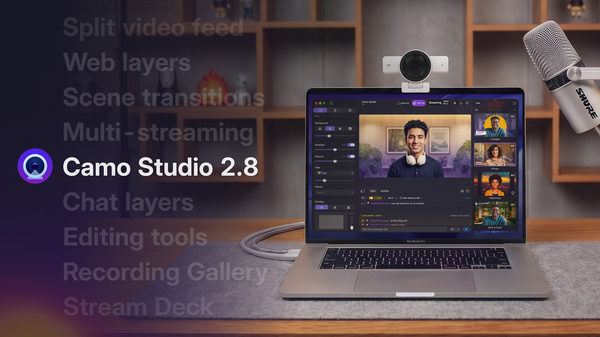
Camo Studio 2.8 是我们迄今发布的最大版本之一,带来了一系列用户今天就能体验的新功能和改进。其中包括 Windows 版的一整套音频混音工具,以及 macOS 版对网页层和聊天层、多平台直播、场景转场等功能的支持。
Today's update is one of the biggest Camo releases we've shipped. Web layers let you embed live web pages straight into your scenes, scene transitions add motion when switching between layouts, multi-streaming sends your broadcast to as many destinations as you like, and a new Stream Deck plugin lets you control Camo Studio from your hardware. Native chat with chat message layers brings your audience into the stream, and a new recording gallery makes it easy to browse, trim, and share what you've captured. We've also refreshed the whole app to match macOS's new Liquid Glass design. As usual, the release is packed with performance optimisations and fixes.
Let us know what you think by using the in-app feedback mechanism or via: camo.com/support. We'd love to help and hear from you.
Today’s update squashes a number of bugs.
Let us know what you think by using the in-app feedback mechanism or at support@reincubate.com. We’d love to help and hear from you.
This release fixes a minor issue.
Let us know what you think by using the in-app feedback mechanism or via: camo.com/support. We’d love to help and hear from you.
Today’s update addresses a crash some users were running into when an active Camo Camera device disconnected, along with a UI fix in the sidebar and an improvement to YouTube streaming reliability. Let us know what you think by using the in-app feedback mechanism or via: camo.com/support. We’d love to help and hear from you.
Today’s update introduces the Flyout, a new quick-access control panel that expands from the Camo Studio icon in the system tray. We’re also bringing a redesigned Gallery which unifies Scenes, Backgrounds, and Filters into a single window, a new in-app feedback mechanism, plus a host of quality of life improvements to make the controls and information you need more accessible. Find out more in our release blog: https://camo.com/blog/camo-flyout-feedback
As usual, the release is also packed with performance optimisations and fixes. Let us know what you think by using the in-app feedback mechanism or via: camo.com/support. We’d love to help and hear from you.
Today’s update continues our rollout of native streaming support for Camo Studio by promoting the Streaming feature out of add-ons, introducing new Stream Panels to give you direct access to chat and other stream info, and adding Kick to the list of natively supported streaming platforms alongside Twitch and YouTube. On top of that, this update further expands how you can create content adding support for Video File Layers in Scenes, and making Multi-Cam part of the core app experience. Read more in our release blog.
And, as usual, the release is also packed with performance optimisations and fixes. Let us know what you think by using the in-app feedback mechanism or via camo.com/support. We’d love to help and hear from you.
来自博客
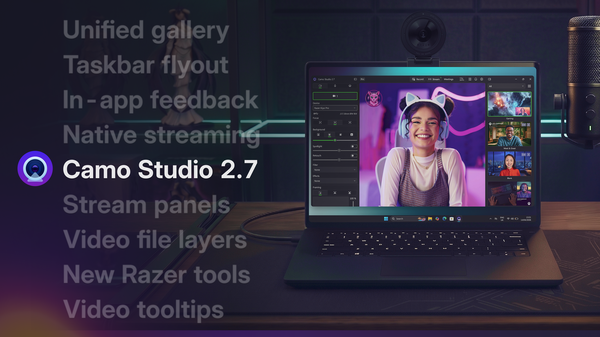
我们全面提升了 Windows 上的用户体验,为 macOS 新增了强大的原生串流功能,并将对 Razer Kiyo 系列摄像头的深度支持扩展到了 Kiyo Pro 和 Pro Ultra。
Today’s update introduces the Flyout, a new quick-access control panel that expands from the Camo Studio icon in the system tray. We’re also bringing a redesigned Gallery which unifies Scenes, Backgrounds, and Filters into a single window, a new in-app feedback mechanism, plus a host of quality of life improvements to make the controls and information you need more accessible. Find out more in our release blog: https://camo.com/blog/camo-flyout-feedback
As usual, the release is also packed with performance optimisations and fixes. Let us know what you think by using the in-app feedback mechanism or via: camo.com/support. We’d love to help and hear from you.
Today’s update continues our rollout of native streaming support for Camo Studio by promoting the Streaming feature out of add-ons, introducing new Stream Panels to give you direct access to chat and other stream info, and adding Kick to the list of natively supported streaming platforms alongside Twitch and YouTube. On top of that, this update further expands how you can create content adding support for Video File Layers in Scenes, and making Multi-Cam part of the core app experience. Read more in our release blog.
And, as usual, the release is also packed with performance optimisations and fixes. Let us know what you think by using the in-app feedback mechanism or via camo.com/support. We’d love to help and hear from you.
With today's update, we're making it easier to discover one of our most exciting beta features: Streaming. You'll now find it right in the main toolbar – Camo Studio's native streaming support lets you go live directly to YouTube, Twitch, or any RTMP destination, with more platforms on the way.
We're exploring how Camo can make getting started with streaming more accessible, and we'd love to hear your feedback as this feature evolves. Let us know what you think by using the in-app feedback mechanism or via: camo.com/support
With today's update, we're making it easier to discover one of our most exciting beta features: Streaming. You'll now find it right in the main toolbar – Camo Studio's native streaming support lets you go live directly to YouTube, Twitch, or any RTMP destination, with more platforms on the way.
We're exploring how Camo can make getting started with streaming more accessible, and we'd love to hear your feedback as this feature evolves. Let us know what you think by using the in-app feedback mechanism or via: camo.com/support
来自博客
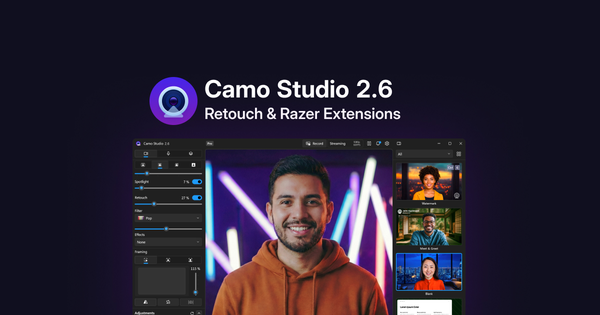
隆重推出“修饰”——一款可提升你视频中数字形象的全新效果,同时我们也与 Razer 的 Kiyo V2 系列网络摄像头进行了更深度的整合,让你能更好地掌控这些设备所提供的各项功能。
Today’s update introduces Retouch, a new effect that helps enhance your digital appearance on video, along with a suite of extensions for the Razer Kiyo V2 range of webcams, including support for HDR, video noise reduction and more. You can read more about it in our release blog.
As usual, the release is also packed with performance optimisations and fixes. Let us know what you think by using the in-app feedback mechanism or at support@reincubate.com. We’d love to help and hear from you.
Today’s update introduces Retouch, a new effect that helps enhance your digital appearance on video, along with a suite of extensions for the Razer Kiyo V2 range of webcams, including support for HDR, video noise reduction and more. You can read more about it in our release blog.
As usual, the release is also packed with performance optimisations and fixes. Let us know what you think by using the in-app feedback mechanism or at support@reincubate.com. We’d love to help and hear from you.
This release fixes an issue affecting our Camo Camera users, along with a handful of fixes.
We'd love to hear what you think. Get in touch via reincubate.com/support.
Camo Studio for macOS 2.5 brings Screen Capture out of the app’s add-ons along with a host of reliability fixes, performance improvements and a couple of UI tweaks.
We'd love to hear what you think. Get in touch via reincubate.com/support.
Features
Improvements
Fixes
Camo Studio for Windows 2.5 brings a focus on performance and stability, with a major platform upgrade under-the-hood enabling improved efficiency and security updates. This update also includes a better way to manage your Add-ons in the app, a couple smaller UI tweaks, and a whole bunch of fixes.
We'd love to hear what you think. Get in touch via reincubate.com/support.
Features
Improvements
Fixes
-
This update fixes an issue with our Beta Add-ons. If you run into any problems, please reach out to us at support@reincubate.com. We'd love to help and hear from you.
This update brings a host of performance and reliability improvements, including layer renaming, improved controls for USB devices like webcams and built-in cameras, fixes for framing and Smart Zoom for Camo Camera devices, and upgrades to our AI processing framework across supported platforms.
As always, we thank our community for their feedback and support. If you run into any problems, please reach out to us at support@reincubate.com. We'd love to help and hear from you.
This update brings a number of fixes and improvements to USB device adjustment controls, and we’ve resolved several issues affecting streaming reliability and audio.
If you run into any problems, please reach out to us at support@reincubate.com. We'd love to help and hear from you.
Improvements
Fixes
This release fixes an issue affecting our users on iPhones.
If you run into any problems, please reach out to us at support@reincubate.com. We’d love to help and hear from you.