Camo Studio
for Apple Vision
Start a stream or record your next video from another reality – build your scenes, use your spatial Persona, connect a phone camera and start creating with ease.
App Store Awards Finalist 2025
Learn moreStreaming & Recording
Stream and Record from Any Reality
Share the experience of complete spatial immersion and connect with your audience directly from your Apple Vision Pro. Welcome to the next frontier of content.
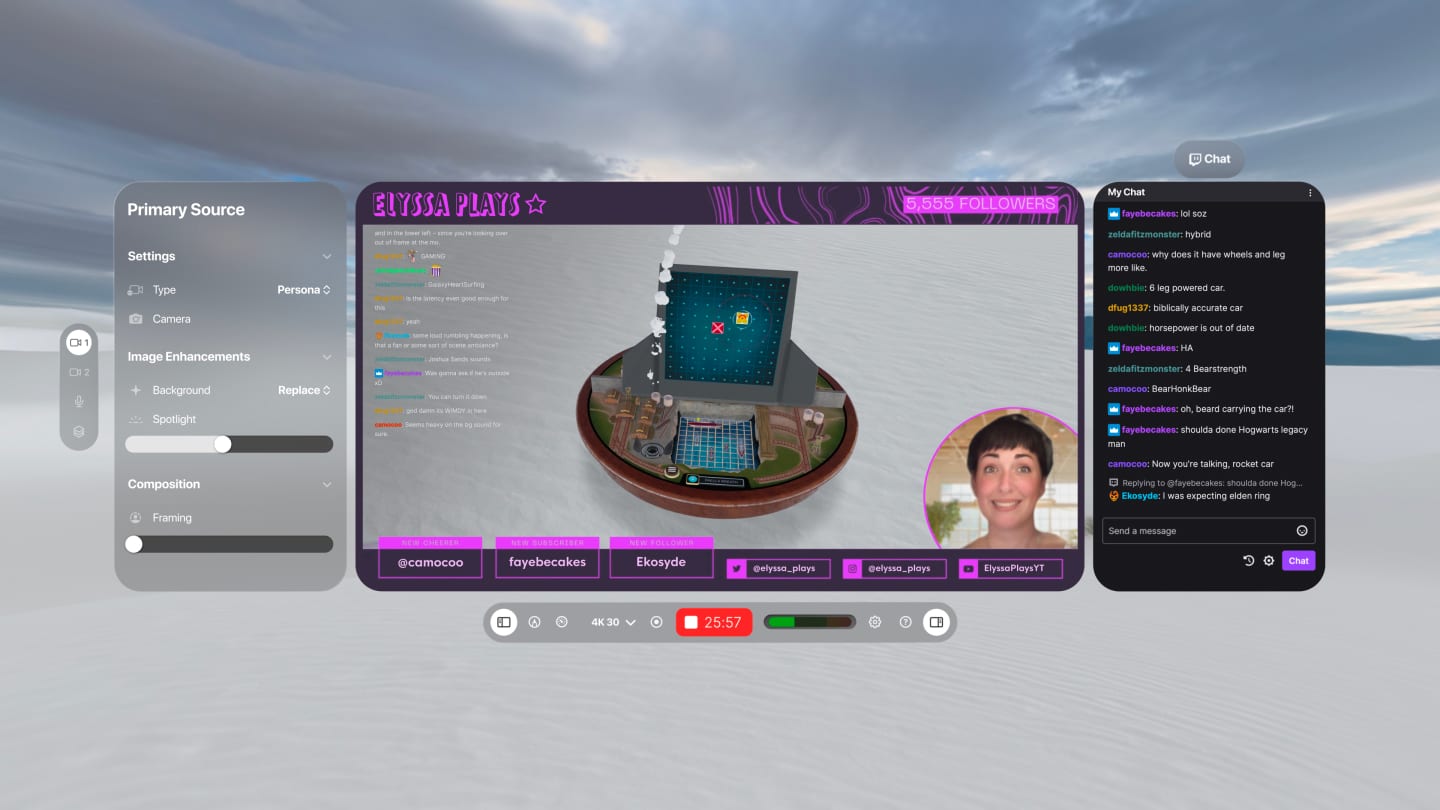
Spatial Persona
Capture Your Spatial Experience from Every Angle
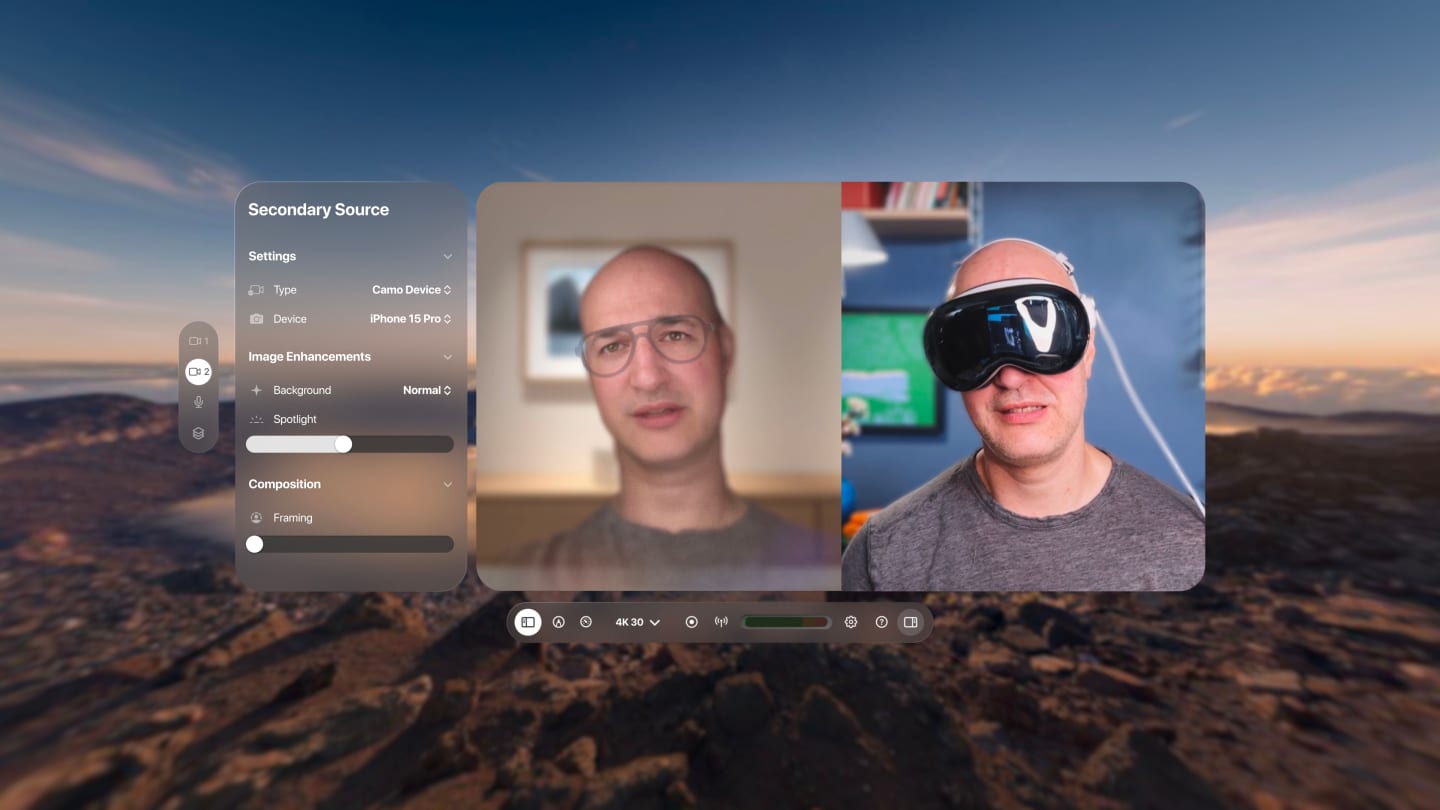
Pair your Persona and Vision views, or mix the physical and virtual by connecting to a phone or iPad running Camo – then perfect each source with filters, background modes and framing controls.
Scenes & Overlays
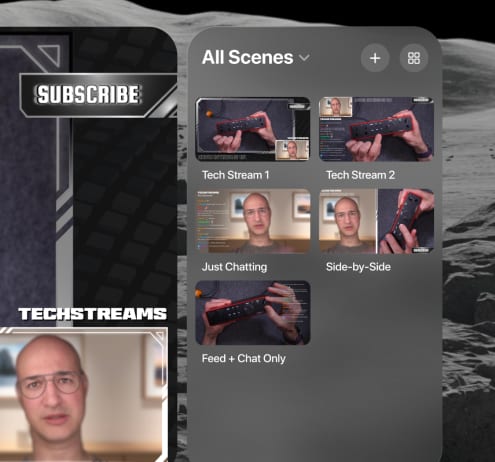
Set Your Scene with a Look and a Pinch
Pick a pre-made scene or create your own. Import one from Camo Studio desktop, or from a custom web overlay link. Switch scenes in a couple of taps.
Learn moreStream Panels
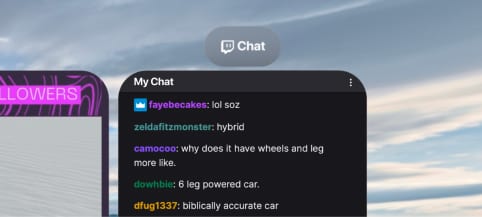
Stream Controls Exactly Where You Want Them
Use independent floating stream panels to check in on your chat and moderators, edit stream details, monitor stream health, and much more.
Markup Toolbar
Draw on Your Creativity
Use the familiar drawing tools built into visionOS to guide your users' attention, make live annotations, or get creative with it!

Enhancements & Adjustments
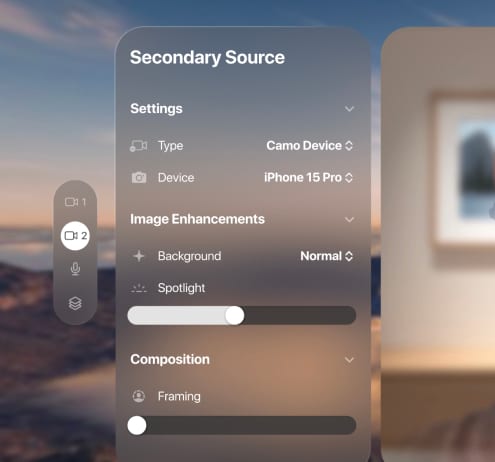
Powerful Tools to Help You Stand Out
Apply a subtle "Bokeh" effect to your background, or replace or remove it entirely. Adjust zoom and framing to compose the perfect shot.
FAQ
Is Camo Studio for Apple Vision really free?
Yes! Camo Studio for Apple Vision is available completely free and there are no plans to change that. The app is our opportunity to explore the latest frontier in spatial computing and share the experience with our users.
How can I use my Persona in videos and calls on my Mac or PC?
Camo Camera for Apple Vision is made just for that purpose. Just download the free app from the Vision App Store, open it, and then select Apple Vision Pro as your camera in Camo Studio on your computer. Once your Persona appears, you'll be able to place it in scenes, refine it with Camo's effects and adjustments, and use the final result in any stream, recording, or meeting.
What devices is Camo Studio for Apple Vision compatible with?
The app is available on the cutting-edge Apple Vision Pro.
What streaming platforms are supported?
Stream directly to Twitch, YouTube, Trovo or any RTMP-configured platform.
Expert Guides
Take your video further
How to look your best on a video call
Taking a few simple steps to improve the quality of your calls, most of which can be done for free, lifts you above everyone else's expectations.
Read moreHow to mount a phone webcam: which mount is best
So, you're thinking about using your phone or tablet as a webcam. You've probably got a cable, and we hope you've got Camo, now you need a mount. I'll introduce you to the best options I've found.
Read moreHow to improvise a DIY webcam
You need to join a video call, but you don't have a webcam, your webcam's broken, or Amazon's out of stock. This guide takes you through ways to improvise a home-made DIY webcam.
Read moreCamo Community
Join the Camo Community
Join the Camo Community to get the latest news on our apps and events, such as Office Hours and Camo Classroom, and get in touch with our broad group of other users with a passion for video and streaming.
Ready for your next stream?
Camo Studio for Apple Vision is free for all users, so give it a try for your next stream or recording.