Перейти к основному содержимому

Camo Studio Примечания к выпускам · macOS

Скачать Camo

Последние новости

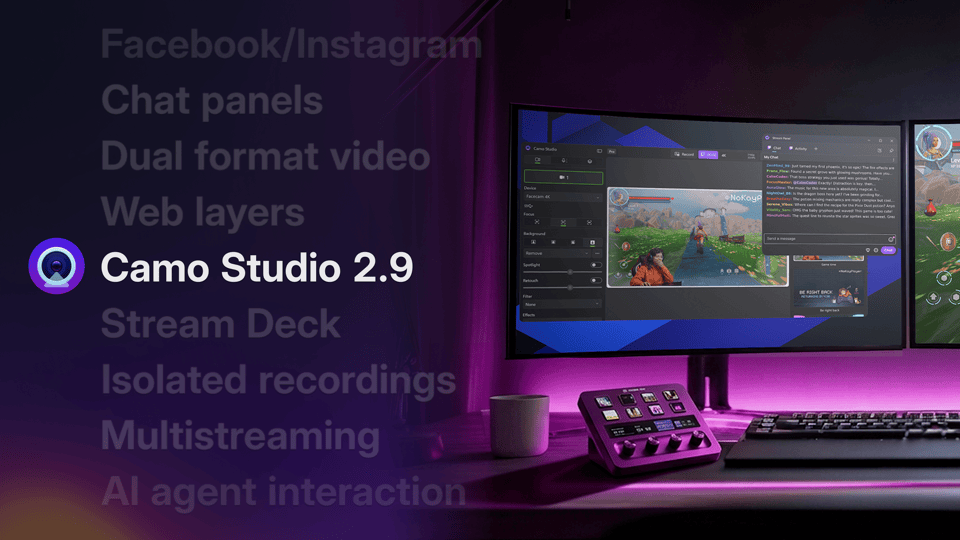
Представляем Camo Studio 2.9

Camo Studio 2.9 добавляет в Windows мультистриминг, веб-слои, закрепляемые панели трансляции и плагин для Elgato Stream Deck, а в macOS — видео в двойном формате, изолированные записи, шумоподавление и поддержку ИИ-агентов, а также прямую трансляцию на Facebook и Instagram на обеих платформах.

Lucas Canino
macOS

Вышла версия Camo Studio 2.9.0.25534

Today's update introduces dual-format streaming and recording, so you can go live in landscape and portrait at the same time — alongside Facebook and Instagram streaming, layer masks, stacks that lay out your layers automatically, isolated recordings, audio noise reduction and control of Camo Studio from AI agents. As usual, the release is also packed with performance optimisations and fixes. Let us know what you think by using the in-app feedback mechanism or via: camo.com/support. We'd love to help and hear from you.

10 новых функций

  • Introduced dual-format streaming and recording, letting you stream and record landscape and portrait at the same time, each with its own independently arranged canvas
  • Added Facebook streaming, with a title, description and audience you choose before you go live
  • Added Instagram streaming
  • Introduced layer masks, so you can mask a layer with a shape or another layer
  • Introduced stacks, which group layers together and position and resize their contents automatically
  • Introduced isolated recordings, which record each of your sources to its own file alongside the main recording
  • Added audio noise reduction to clean up background noise from your microphones
  • Added the ability to control Camo Studio from AI agents such as Claude
  • Added gradient fills for layers
  • Added the ability to import your scenes from OBS

3 улучшения

  • Improved the sound of your streams with higher-quality audio
  • Improved the preview's smoothness when using several cameras at once
  • Updated text layers to scale from their corner handles, with the edges resizing the layer's frame

14 исправлений

  • Fixed streaming to some custom RTMP servers, including Restream, never starting
  • Fixed screen capture staying at 1080p after switching to a 4K profile
  • Fixed Studio taking up to 10 minutes to launch when a USB camera stopped responding
  • Fixed audio gradually drifting out of sync with video during long recordings with some USB microphones
  • Fixed the Camo Studio window opening on its own when selecting Camo in another app such as Zoom
  • Fixed the web layer preview getting stuck loading after an invalid URL warning
Показать ещё 8
  • Fixed an incorrect message when dragging images into backgrounds
  • Fixed undoing and then redoing the addition of an image or video layer leaving the layer empty
  • Fixed several layout quirks in the sidebars and toolbar on macOS 27
  • Fixed a crash when quitting Studio with the Web Layers add-on installed
  • Fixed a rare crash when your audio devices changed
  • Fixed a rare crash when changing a camera's format
  • Fixed a crash when rearranging layers in the sidebar
  • Fixed a rare crash when drawing the preview
Читать далее

macOS

Вышла версия Camo Studio 2.8.2.24402

This release is all about reliability: screen capture layers now come back properly when you relaunch Studio or reconnect a display, your recordings and streams keep multichannel audio intact, and Studio can now recover on its own when a camera stops sending video. Let us know what you think by using the in-app feedback mechanism or via: camo.com/support. We'd love to help and hear from you.

6 улучшений

  • Studio now spots when a camera has stopped sending video and restarts it automatically, so a frozen or blank feed recovers on its own
  • Added a preference to only show stream panels while you're actively streaming
  • Added a refresh option to the stream panel's right-click menu
  • Duplicated layers now appear next to the layer you copied, rather than at the top of the list
  • Improved handling of very large images added as layers, which could previously cause Studio to quit unexpectedly
  • Updated uninstallation so the Camo microphone disappears from your other apps straight away, without needing a restart

21 исправление

  • Fixed Studio hanging during bulk layer operations, such as duplicating several web or video layers at once
  • Fixed screen capture layers not coming back after relaunching Studio, or after a display was disconnected and reconnected
  • Fixed periodic audio clicks in recordings when your output device runs at 44.1 kHz
  • Fixed multichannel audio interfaces being recorded and streamed as mono instead of in stereo
  • Fixed YouTube live chat stopping updating part-way through a stream, and chat continuing to run after you've gone offline
  • Fixed a camera feed becoming doubly cropped after switching a scene from widescreen to vertical and back
Показать ещё 15
  • Fixed a deleted device staying in the camera list until you relaunched Studio or switched camera
  • Fixed the layers list not updating after some changes, such as renaming a text layer or pasting a layer
  • Fixed Copy and Paste being missing from the context menu when more than one layer is selected
  • Fixed an Android camera appearing untransformed on first launch after granting permissions
  • Fixed briefly seeing the previous scene when changing scenes after an aspect ratio mismatch warning
  • Fixed invalid web addresses being accepted when adding a web layer
  • Fixed the chat Mention user option inserting a YouTube channel ID instead of the viewer's name
  • Fixed black thumbnails for videos in the background gallery
  • Fixed selected sidebar icons being invisible in light mode on macOS 15 and earlier
  • Fixed several greyed-out buttons being hard to read in light mode, including Export Logs, Feedback, and the web layer Add button
  • Fixed the hue slider in the colour picker not responding until the main picker had been clicked
  • Fixed the click-to-focus tooltip getting in the way of the click-to-focus box
  • Fixed scenes without a thumbnail not showing a placeholder in the layer sidebar header
  • Fixed a full-screen button in the Help & advice window that did nothing
  • Fixed some incorrect translations

macOS

Вышла версия Camo Studio 2.8.1.24089

This release fixes a crash that could stop Camo Studio from opening on macOS Monterey after updating from an earlier version, along with a couple of other rare crashes. Let us know what you think by using the in-app feedback mechanism or via: camo.com/support. We’d love to help and hear from you.

3 исправления

  • Fixed Studio crashing on launch on macOS Monterey after updating from an earlier version
  • Fixed a rare crash that could occur when starting or stopping a stream while viewing a streaming destination’s settings
  • Fixed a rare crash when clicking on a Studio notification

Из блога

Представляем Camo Studio 2.8

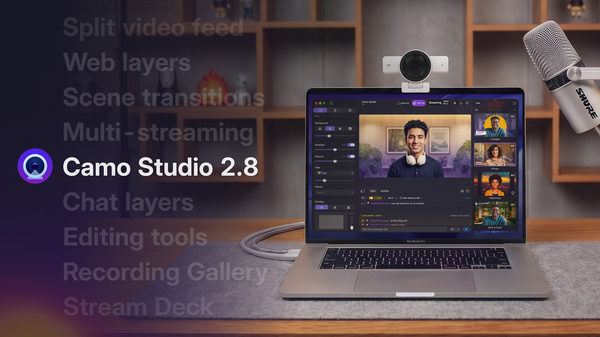
Camo Studio 2.8 — один из самых масштабных релизов за всё время, с целым набором новых функций и улучшений, доступных пользователям уже сегодня. Среди них — набор инструментов аудиомикширования для Windows, а также поддержка веб- и чат-слоёв, мультистриминга, переходов между сценами и многого другого для macOS.

macOS

Вышла версия Camo Studio 2.8.0.23824

Today's update is one of the biggest Camo releases we've shipped. Web layers let you embed live web pages straight into your scenes, scene transitions add motion when switching between layouts, multi-streaming sends your broadcast to as many destinations as you like, and a new Stream Deck plugin lets you control Camo Studio from your hardware. Native chat with chat message layers brings your audience into the stream, and a new recording gallery makes it easy to browse, trim, and share what you've captured. We've also refreshed the whole app to match macOS's new Liquid Glass design. As usual, the release is packed with performance optimisations and fixes.

Let us know what you think by using the in-app feedback mechanism or via: camo.com/support. We'd love to help and hear from you.

Показать все 30 изменений

12 новых функций

  • Introduced Web Layers, letting you add live web pages directly to your scenes
  • Added animated transitions when switching between scenes
  • Added Multi-Streaming so you can broadcast to several destinations at the same time
  • Introduced a Stream Deck plugin so you can drive Camo Studio from your Stream Deck
  • Refreshed Camo Studio to match macOS's new Liquid Glass design language
  • Introduced foreground and background scene layers, so you can place other layers between you and your background
  • Added layer groups, so you can organise related layers together in the scene editor
  • Added native chat support, with chat message layers for showing and highlighting incoming messages in your stream
  • Added a streaming history view so you can see stats and details from your previous streams
  • Added a post-recording gallery for browsing, trimming, and sharing your recent recordings
  • Added alignment guides while moving layers around the scene editor
  • Added an optional 3-2-1 countdown before recordings start

4 улучшения

  • Layers that extend outside the canvas now show grabbers and stay interactive
  • Improved the experience of reordering items in the asset gallery
  • Pause in the recording toolbar now properly pauses your recording, instead of continuing to capture blurred video
  • Camo Studio now shows a clearer message when an Android USB device is busy with another app, instead of failing silently

14 исправлений

  • Fixed rare crashes around installing and checking the Camo camera extension
  • Fixed a startup crash on Intel Macs when setting up
  • Fixed a crash that could occur after a camera was disconnected
  • Fixed Android USB devices not being detected while the device dropdown was open
  • Fixed video files not playing when set as a scene background
  • Fixed recording silently failing with a "Cannot create file" error
Показать ещё 8
  • Fixed Remove Background missing from the dropdown when using Android devices
  • Fixed Camo Studio letting you set unsupported file types such as PDFs and GIFs as a scene background
  • Fixed GIFs sometimes playing faster than they should once added to a scene
  • Fixed video file layers leaving unused files behind on disk
  • Fixed a crash when changing screen-capture sources very quickly
  • Fixed how Camo Studio handles a YouTube error response so you see a clearer message
  • Fixed YouTube broadcast lists being cut off after the first five results
  • Fixed video player controls staying visible after deleting the only video layer in a scene
Читать далее

macOS

Вышла версия Camo Studio 2.7.2.22847

Today’s update addresses a crash some users were running into when an active Camo Camera device disconnected, along with a UI fix in the sidebar and an improvement to YouTube streaming reliability. Let us know what you think by using the in-app feedback mechanism or via: camo.com/support. We’d love to help and hear from you.

Показать все 3 изменения

1 улучшение

  • Improved reliability of long YouTube live streaming sessions

2 исправления

  • Fixed Studio crashing when an active Camo Camera device disconnects while the source dropdown is open
  • Fixed a UI glitch where the sidebar would appear squished after switching between a video layer and a camera layer

macOS

Вышла версия Camo Studio 2.7.1.22660

Today’s update continues our rollout of native streaming support for Camo Studio by promoting the Streaming feature out of add-ons, introducing new Stream Panels to give you direct access to chat and other stream info, and adding Kick to the list of natively supported streaming platforms alongside Twitch and YouTube. On top of that, this update further expands how you can create content adding support for Video File Layers in Scenes, and making Multi-Cam part of the core app experience. Read more in our release blog.

And, as usual, the release is also packed with performance optimisations and fixes. Let us know what you think by using the in-app feedback mechanism or via camo.com/support. We’d love to help and hear from you.

Показать все 39 изменений

4 новые функции

  • Made Streaming and Multi-Cam available to everyone, moving them out of the add-ons catalogue
  • Introduced stream panels, a dedicated window for your chat and stream information while you’re live
  • Introduced video file layers, so you can bring pre-recorded clips into your scenes alongside your live sources
  • Introduced low-light compensation adjustment to help your image look better in dim environments

12 улучшений

  • Added Kick as a streaming destinations, alongside Twitch and YouTube
  • Added a recently connected devices section to the Devices dropdown, so you can quickly reconnect to a device you’ve used before
  • Updated sidebar warnings to be clearer, and added a tooltip for the Video Sources section
  • Updated onboarding to better highlight Camo Studio’s streaming capabilities
  • Updated screen share sources to support resolutions beyond 1080p
  • Improved screen share sources to show app name and icon
  • Improved the quality and performance of background effects
  • Improved the quality of the privacy blur filter
  • Improved image stability on wireless mobile devices
  • Improved reliability of streaming reconnections after a brief network interruption
  • Added extended support for additional devices: Razer Kiyo Pro (V1) & Kiyo Pro Ultra (V1)
  • Optimised Camo Studio’s memory usage

23 исправления

  • Fixed several crashes in the audio engine when adding or removing audio sources, or plugging in headphones
  • Fixed a rare crash when updating the sidebar
  • Fixed a rare crash when sending data to an Android device over USB
  • Fixed Twitch not correctly detecting that you’re still live after a stream interruption
  • Fixed an audio gap that could appear when your audio setup changes
  • Fixed laggy recordings on older Intel Macs
Показать ещё 17
  • Fixed the portrait blur slider not keeping its intensity on scenes from earlier versions
  • Fixed bitrate changes not being applied to an active stream
  • Fixed background modes being disabled when switching to a mobile device after enabling macOS portrait mode
  • Fixed the camera permissions sidebar warning not going away after onboarding
  • Fixed the Camo Camera download buttons in onboarding
  • Fixed the stream button icon briefly disappearing when Studio launches
  • Fixed stream and record buttons appearing greyed out after closing and reopening Studio
  • Fixed duplicate notifications appearing for Razer add-ons
  • Fixed emoji rendering in Camo’s output
  • Fixed window resizing and character limit issues when creating a new YouTube broadcast
  • Fixed screenshots saving as duplicates of the first captured image
  • Fixed untranslated variable names, and fixed the missing variables notification not appearing
  • Fixed the screen capture layer name not updating when you change the capture target
  • Fixed not being able to deselect layers from a multi-selection in the sidebar
  • Fixed the Help window highlighting your previously clicked support button
  • Fixed Studio sending excessive network requests when it can’t reach the network
  • Added a character limit to scene and profile names to prevent layout issues

Из блога

Представляем Camo Studio 2.7

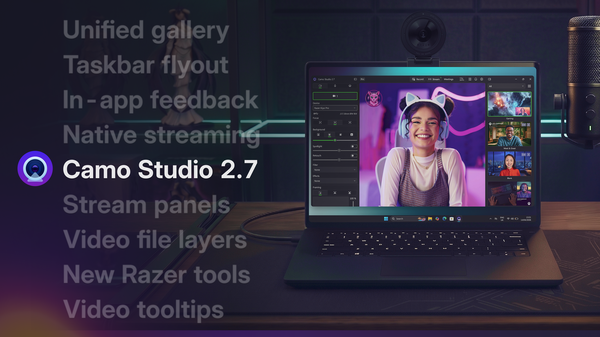
Мы улучшили пользовательский опыт на Windows, добавили мощные нативные функции трансляции для macOS и расширили глубокую поддержку камер Kiyo от Razer на модели Kiyo Pro и Pro Ultra.

macOS

Вышла версия Camo Studio 2.7.0.22577

Today’s update continues our rollout of native streaming support for Camo Studio by promoting the Streaming feature out of add-ons, introducing new Stream Panels to give you direct access to chat and other stream info, and adding Kick to the list of natively supported streaming platforms alongside Twitch and YouTube. On top of that, this update further expands how you can create content adding support for Video File Layers in Scenes, and making Multi-Cam part of the core app experience. Read more in our release blog.

And, as usual, the release is also packed with performance optimisations and fixes. Let us know what you think by using the in-app feedback mechanism or via camo.com/support. We’d love to help and hear from you.

Показать все 39 изменений

4 новые функции

  • Made Streaming and Multi-Cam available to everyone, moving them out of the add-ons catalogue
  • Introduced stream panels, a dedicated window for your chat and stream information while you’re live
  • Introduced video file layers, so you can bring pre-recorded clips into your scenes alongside your live sources
  • Introduced low-light compensation adjustment to help your image look better in dim environments

12 улучшений

  • Added Kick as a streaming destinations, alongside Twitch and YouTube
  • Added a recently connected devices section to the Devices dropdown, so you can quickly reconnect to a device you’ve used before
  • Updated sidebar warnings to be clearer, and added a tooltip for the Video Sources section
  • Updated onboarding to better highlight Camo Studio’s streaming capabilities
  • Updated screen share sources to support resolutions beyond 1080p
  • Improved screen share sources to show app name and icon
  • Improved the quality and performance of background effects
  • Improved the quality of the privacy blur filter
  • Improved image stability on wireless mobile devices
  • Improved reliability of streaming reconnections after a brief network interruption
  • Added extended support for additional devices: Razer Kiyo Pro (V1) & Kiyo Pro Ultra (V1)
  • Optimised Camo Studio’s memory usage

23 исправления

  • Fixed several crashes in the audio engine when adding or removing audio sources, or plugging in headphones
  • Fixed a rare crash when updating the sidebar
  • Fixed a rare crash when sending data to an Android device over USB
  • Fixed Twitch not correctly detecting that you’re still live after a stream interruption
  • Fixed an audio gap that could appear when your audio setup changes
  • Fixed laggy recordings on older Intel Macs
Показать ещё 17
  • Fixed the portrait blur slider not keeping its intensity on scenes from earlier versions
  • Fixed bitrate changes not being applied to an active stream
  • Fixed background modes being disabled when switching to a mobile device after enabling macOS portrait mode
  • Fixed the camera permissions sidebar warning not going away after onboarding
  • Fixed the Camo Camera download buttons in onboarding
  • Fixed the stream button icon briefly disappearing when Studio launches
  • Fixed stream and record buttons appearing greyed out after closing and reopening Studio
  • Fixed duplicate notifications appearing for Razer add-ons
  • Fixed emoji rendering in Camo’s output
  • Fixed window resizing and character limit issues when creating a new YouTube broadcast
  • Fixed screenshots saving as duplicates of the first captured image
  • Fixed untranslated variable names, and fixed the missing variables notification not appearing
  • Fixed the screen capture layer name not updating when you change the capture target
  • Fixed not being able to deselect layers from a multi-selection in the sidebar
  • Fixed the Help window highlighting your previously clicked support button
  • Fixed Studio sending excessive network requests when it can’t reach the network
  • Added a character limit to scene and profile names to prevent layout issues
Читать далее

macOS

Вышла версия Camo Studio 2.6.1.20635

With today's update, we're making it easier to discover one of our most exciting beta features: Streaming. You'll now find it right in the main toolbar – Camo Studio's native streaming support lets you go live directly to YouTube, Twitch, or any RTMP destination, with more platforms on the way.

We're exploring how Camo can make getting started with streaming more accessible, and we'd love to hear your feedback as this feature evolves. Let us know what you think by using the in-app feedback mechanism or via: camo.com/support

Показать 1 изменение

1 улучшение

  • Improved UI for Streaming to make it easier for users to discover this beta feature

Из блога

Представляем Camo Studio 2.6

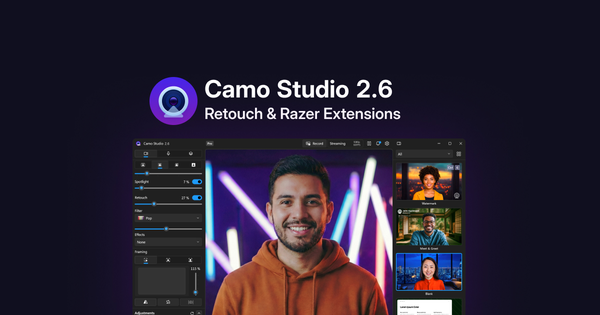
Представляем Ретушь — новый эффект, улучшающий ваш цифровой облик на видео, а также более глубокую интеграцию с веб-камерами Kiyo V2 от Razer, дающую больше контроля над возможностями этих устройств.

macOS

Вышла версия Camo Studio 2.6.0.20614

Today’s update introduces Retouch, a new effect that helps enhance your digital appearance on video, along with a suite of extensions for the Razer Kiyo V2 range of webcams, including support for HDR, video noise reduction and more. You can read more about it in our release blog.

As usual, the release is also packed with performance optimisations and fixes. Let us know what you think by using the in-app feedback mechanism or at support@reincubate.com. We’d love to help and hear from you.

Показать все 39 изменений

3 новые функции

  • Introduced Retouch, which applies a subtle, adjustable effect to your image to enhance your digital appearance on video
  • Added support for Dark, Tinted, and Glass app icon themes
  • Extended support for several USB cameras, including Razer Kiyo V2 and Kiyo V2 X, and HIKMICRO Mini2 Thermal Camera

6 улучшений

  • Improved UI for multi-setting adjustments, such as exposure and white balance
  • Optimized handling of UVC devices to increase CPU efficiency
  • Added tooltip images for framing modes
  • Added warning notification for camera permissions to the sidebar
  • Updated screen share layers to blur when the target window is minimised
  • Updated screen share to bring Studio back to the foreground after selecting the target window

30 исправлений

  • Fixed an issue where Studio memory usage can grow continuously when using Camo Camera iOS & Auto-Framing
  • Fixed camera extension not uninstalling if the camera extension version mismatches Studio version
  • Fixed Studio not informing the user when their 'recording' location no longer exists
  • Fixed Studio not informing the user when their 'save image' location no longer exists
  • Fixed Studio crashing when reloading the toolbar items
  • Fixed Studio crashing after switching audio outputs while recording
Показать ещё 24
  • Fixed Studio crashing when changing audio device while streaming
  • Fixed Studio becoming unfocused after closing the send feedback window
  • Fixed an issue where switching between cameras while video is paused causes a black video frame
  • Fixed an issue where resolution, FPS and aspect ratio will disappear from the dropdown for profiles with very long names
  • Fixed an issue where the menu bar window does not check if a text box is being edited
  • Fixed Android USB discovery not working if device dropdown is open
  • Fixed audio output delay values not persisting correctly and resetting to default
  • Fixed Spotlight intensity values not persisting correctly and resetting to default
  • Fixed an issue where FPS and resolution menus on the ‘edit profile’ screen don’t update the current value.
  • Fixed 'Replace' background mode flickering to Normal BG when switching to a different camera
  • Fixed 'Replace' background mode reverting to Green when switching modes
  • Fixed the built-in camera LED remaining on when a disconnected USB camera is selected
  • Fixed the green camera icon on menubar showing that studio is using screen sharing when it’s not
  • Fixed the 'Camera locked' warning not disappearing correctly when the device is no longer locked
  • Fixed an issue where Scenes you grab and drag are highlighted in the righthand sidebar.
  • Fixed an issue where Screen capture content doesn't fit well on screens using scaled resolutions
  • Fixed Scenes applying background modes to non-supported devices
  • Fixed an issue where the compensation slider gets disabled on relaunch
  • Fixed an issue where GIFs appear animated in video preview, but don't animate in output video
  • Fixed Studio showing the 'Lens' selection dropdown unnecessarily for Switcher devices
  • Fixed local Recordings not adjusting bitrate based on Profile resolution
  • Fixed the Preview remaining blurred when reconnecting a USB camera
  • Fixed the Presentation scene is using an incorrect thumbnail in the Gallery
  • Fixed tooltips not appearing when a Camo Camera device is connected
Читать далее

macOS

Вышла версия Camo Studio 2.5.0.18345

Camo Studio for macOS 2.5 brings Screen Capture out of the app’s add-ons along with a host of reliability fixes, performance improvements and a couple of UI tweaks.

We'd love to hear what you think. Get in touch via reincubate.com/support.

Features

Improvements

Fixes

Показать все 26 изменений

3 новые функции

  • Introduced Screen Capture, allowing you to share your entire display, or specific application windows, using a layer in your scene. Requires macOS 14 or later.
  • Added support for app audio capture, making it easy to add audio from a particular app to the output from Camo Studio.
  • Added resolution and frame rate information to the Profiles selector in the titlebar to represent how Profiles are used to control these.

6 улучшений

  • Significantly improved CPU and power efficiency when Camo Studio is not actively in use for better battery life.
  • App updates no longer require administrator accounts to confirm their password to update the app.
  • Android connections now display USB hub warnings when appropriate.
  • Prevented Camo Studio application from being selectable as its own audio source to prevent feedback loops.
  • Improved notifications and guidance when access to a streaming service is revoked or invalidated.
  • Added show/hide stream key information to help keep your details safe.

17 исправлений

  • Fixed issue where the audio mixer could prevent your Mac from sleeping.
  • Fixed crash when updating sidebar items during device changes.
  • Fixed rare issue where framing section could disappear permanently.
  • Fixed issue where Studio could freeze on loading screen after system reboot.
  • Fixed issue where background modes would occasionally fail to apply on macOS.
  • Fixed fizzing and crackling sounds in the audio mixer.
Показать ещё 11
  • Fixed uncommon crashes related to using app audio sources and adding/removing audio sources in the mixer.
  • Centre Stage framing mode status now correctly reflects changes made in macOS Control Centre.
  • Fixed blurred screen captures when unpausing if the window/display isn't actively updating.
  • Fixed rotation and panning values resetting on the next app launch.
  • Fixed incorrect title for Desert Plain background and removed thin white line artefact from Dark Waves background.
  • Fixed "no such file" error when attempting to export overlays.
  • Fixed issue where disabling microphone or camera permissions in system settings could trigger permission dialogues twice.
  • Fixed overlapping text in permissions onboarding window for certain languages.
  • Fixed missing translations for certain Explore backgrounds.
  • Fixed an issue where notifications for completed recordings and screenshots did not appear consistently.
  • Display and app capture now properly re-activates after opening laptop lid or waking from sleep.

macOS

Вышла версия Camo Studio 2.4.0.17515

This update brings a number of fixes and improvements to USB device adjustment controls, and we’ve resolved several issues affecting streaming reliability and audio.

If you run into any problems, please reach out to us at support@reincubate.com. We'd love to help and hear from you.

Improvements

Fixes

Показать все 11 изменений

5 улучшений

  • Added "bolt" icon next to camera adjustments when they're controlled via hardware (UVC) for better visibility of hardware-level controls.
  • Better handling of hardware-controlled camera properties across supported devices.
  • iOS devices no longer unpause unexpectedly when device list changes.
  • Twitch tokens are now properly refreshed before attempting to start a new stream.
  • Fixed various translation and localization issues throughout the app.

6 исправлений

  • Fixed crash when using iOS 15 Camo Camera devices in the audio tab.
  • Fixed crash when selecting a lens from the lens dropdown that isn't in the camera list.
  • Fixed an issue affecting some Android over USB users.
  • Fixed crash related to system camera property updates.
  • Fixed UVC controls for some camera models that previously stopped responding to adjustment inputs.
  • Resolved unintended unpausing caused by system audio changes.

macOS

Вышла версия Camo Studio 2.3.2.16475

Today’s update of Camo Studio brings bug fixes and reliability improvements to our latest 2.3 release. If you run into any problems, please reach out to us at support@reincubate.com. We'd love to help and hear from you.

Показать 1 изменение

1 исправление

  • Ensure Camo Studio and its helper are installed as expected to avoid issues with inter-process communication.

macOS

Вышла версия Camo Studio 2.3.1.16318

Today’s update of Camo Studio brings bug fixes and reliability improvements to our latest 2.3 release. If you run into any problems, please reach out to us at support@reincubate.com. We'd love to help and hear from you.

Показать все 2 изменения

2 исправления

  • Resolved an issue when using Camo Studio with a Switcher camera device.
  • Improved reliability of communication to connected Android devices.

macOS

Вышла версия Camo Studio 2.3.0.16180

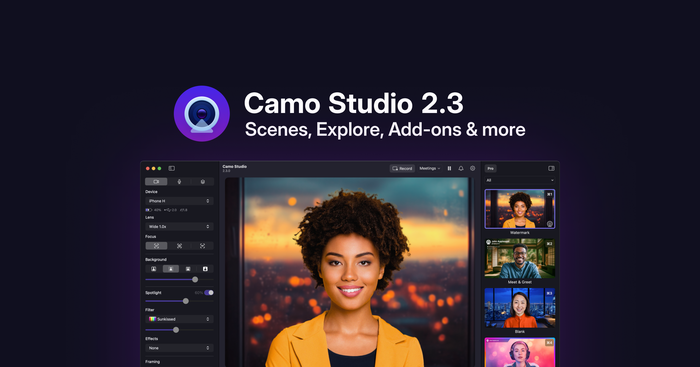
Camo Studio 2.3 begins rolling out today, bringing some big changes to the app. We've put a lot of thought into how best to improve the process of making amazing video, and have implemented new features and improvements we think will make it simpler and faster, while expanding what Camo users can do.

As always, we thank our community for their help in reaching this next stage of Camo's journey, and look forward to seeing the magic our users create with their new video superpowers. Your feedback is vital to what we do, and we'd love to hear how this new Camo experience works for you.

Показать все 44 изменения

15 новых функций

  • Added new and improved Scenes – a more accessible and convenient way to manage your overlays, settings and adjustments.
  • Introduced the Explore section to the scene, background and filter galleries, which are now all combined in a single, unified interface.
  • Added Profiles to simplify output configuration settings like resolution and FPS.
  • Added multi-source audio mixing support and overhauled audio controls
  • (Beta Add-on) Added Screen Capture functionality, enabling sharing of windows, apps and displays
  • (Beta Add-on) Added support for multi-cam scenes for incorporating multiple video feeds into a single output, e.g. for combining capture card footage with a picture-in-picture shot
  • (Beta Add-on) Added the ability to stream video directly from Camo Studio to popular streaming platforms, like YouTube and Twitch
  • Added canvas background customisation in the Scene Editor
  • Updated the menu bar fly-out to include a live preview, quick actions and a scene selector
  • Added support for video feed background removal in the Replace background mode
  • Added the ability to rename and copy-paste layers in the Scene Editor
  • Added support for animated image layers in scenes
  • Updated "click to focus" to use a popover instead of the preview feed
  • Added a built-in feedback mechanism, including an issue reporter with automated log uploads
  • Added exposure compensation slider

20 улучшений

  • Updated to our custom video segmentation model for improved performance
  • Added the ability to hide the Camo Studio menu bar item
  • Redesigned macOS preferences to match the latest platform principles
  • Added command line support for certain Camo Studio functions
  • Updated license activation to use a browser redirection mechanism
  • Change warning system UI to notifications, always show notifications toolbar item
  • Added customisation of the global hotkey to open the expanded menu bar fly-out
  • Update VoiceOver support
  • Updated Shortcuts support
  • Added links to support in the Getting Started window
  • Added warning to sidebar when the user has the macOS 15 native background feature turned on
  • Added quick-access to recently created recordings via the notification
  • Updated to use a better colour picker
  • Localised the onboarding flow
  • Added local network permissions request to onboarding on macOS 15
  • Added confirmation prompt when recording or stream is running on quit
  • Updated layer rotation logic in the Scene Editor
  • Updated the toolbar layout
  • Updated minimum operating system requirements to macOS 12.3 and later
  • Improved Shortcuts localisation

9 исправлений

  • Fixed an issue whereby attempting to undo any property change immediately after moving a layer will also move the layer back to it’s previous position
  • Fixed support for importing multiple scene files by dragging them into the gallery
  • Stopped Camo Studio from opening automatically when removing Camo Studio notifications from macOS Notification Center
  • Made UVC settings configuration more robust to avoid crashes caused by certain cameras’ requirements
  • Improved how Continuity Camera devices are presented to users to avoid confusion
  • Fixed a memory leak related to Android device support
Показать ещё 3
  • Fixed formatting issues in the installer
  • Fixed an issue where connected Camo Camera iOS devices would continuously connect/disconnect when multiple user accounts were running Camo Studio simultaneously
  • Fixed a crash triggered by clicking the notifications panel from the toolbar overflow menu
Читать далее

Из блога

Представляем Camo Studio 2.3

Camo Studio 2.3 — одно из наших самых масштабных обновлений: оно упрощает создание запоминающегося видео благодаря новым и улучшенным Сценам, Профилям, поддержке Захвата экрана и новому механизму Дополнений.


macOS

Вышла версия Camo Studio 2.1.6.12923

Today’s release includes improvements to wireless connections and some changes behind the scenes.

If you run into any problems, please reach out to us at support@reincubate.com. We’d love to help and hear from you.

Показать все 2 изменения

1 улучшение

  • Camo Studio will automatically select Continuity Camera on launch if it was previously selected.

1 исправление

  • We’ve fixed stutters in some situations when using wireless connections and improved latency.


macOS

Вышла версия Camo Studio 2.1.3.11491

Today's update brings a few fixes and improvements. If you run into any problems, please reach out to us at support@reincubate.com. We'd love to help and hear from you.

Показать все 17 изменений

1 новая функция

  • We've added template variables like first name and last name for overlays so you can easily apply them to any overlay.

10 улучшений

  • We've improved how we display warnings (such as those about possible issues when using a USB hub) to ensure they won't get missed.
  • We've polished the visual blur effect we use when switching between devices.
  • We've improved how Camo Studio handles situations where a UVC device is unreliable and offer a way to fix it.
  • We've improved how Camo Studio automatically selects a device if there's not one selected.
  • Our installation wizard is now correctly translated to other languages.
  • Camo Studio looks better now on the latest macOS versions.
  • We've polished the look and feel of the overlay editor and gallery.
  • We've made some improvements for using Smart zoom with a background mode enabled.
  • We've added an option in Camo Studio to set the preview video on iOS to use "Scale to fit" instead of "Scale to fill".
  • A newly paired device will be automatically selected in Camo Studio after pairing.

6 исправлений

  • We've fixed an issue which caused the preview to blink in certain cases.
  • We've made a number of improvements and fixes to make recording more reliable.
  • Camo Studio will apply new settings correctly now after switching between Mono and Stereo in preferences.
  • Camo Studio will pass audio from a selected input correctly after switching to another device.
  • We've fixed an issue where applying a preset in Camo Studio didn't reset the zoom value in some cases.
  • We've fixed any issue where changing resolution would also change the FPS in some cases when it shouldn't.


macOS

Вышла версия Camo Studio 2.1.0.10704

Today’s update brings some UI improvements, support for certain features on older hardware and an updated Getting Started experience. We’ve also updated some of the technology we use to build the app, which means ending updates for macOS 10.13 and 10.14. Camo Studio 2.0.5 will continue to work on those versions. If you run into any problems, please reach out to us at support@reincubate.com. We'd love to help and hear from you.

Показать все 6 изменений

3 новые функции

  • Meet the new onboarding experience with our new Getting Started tutorial.
  • Unsupported hardware mode. This allows the use of features like 4K resolutions on older phones and ML effects on Intel Macs (there may be performance issues with this enabled). You can enable it in Camo Studio preferences.
  • Devices that have been paired for wireless connection appear in the devices dropdown and are available for a quick connection.

2 улучшения

  • We've tuned some UI parts of the Camo Studio window to make it more beautiful.
  • In macOS 14.1 Apple removed support for DAL plugins, which some apps use to provide video to apps like Camo Studio. If Camo detects a DAL plugin it will let you know why it’s missing.

1 исправление

  • The zoom feature works correctly now with Studio Display with its recent firmware update.

macOS

Вышла версия Camo Studio 2.0.5.10158

Today’s update fixes a couple of bugs and brings full compatibility with the latest beta of macOS Sonoma. If you run into any problems, please reach out to us at support@reincubate.com. We'd love to help and hear from you.

Показать все 2 изменения

2 исправления

  • Users running the latest beta of macOS Sonoma will have seen that Camo Studio’s default rotation for their devices was wrong, that’s fixed now!
  • We fixed an issue when using Camo Studio with a Cisco Desk Pro.

iOSmacOS

Вышла версия Camo Studio 2.0.4.10016

Today's release includes many commonly-requested features, including 4K and green screen support!

If you run into any problems, please reach out to us at support@reincubate.com. We'd love to help and hear from you.

Показать все 7 изменений

3 новые функции

  • 4K for phones is here! You can now get super high resolution video out of your iOS and Android devices running the latest versions of the Camo app.
  • If you have a real green screen, you can now dial in a Chroma Key yourself instead of using Camo’s ML segmentation feature.
  • We’ve added an option in preferences to select from light or dark appearance, or keep the system setting.

2 улучшения

  • You can now set any audio delay value you’d like, instead of 100ms increments.
  • If any overlay was applied before going into the overlay editor, it will be reapplied on exit.

2 исправления

  • We’ve fixed the “Connect a device” prompt being shown in your feed when switching between UVC devices.
  • If a device supports 29.97 FPS, we now show that instead of rounding up to 30 FPS.
Помощь