Saltar al contenido principal

Camo Studio Notas de la versión · Windows

Consigue Camo

Últimas noticias

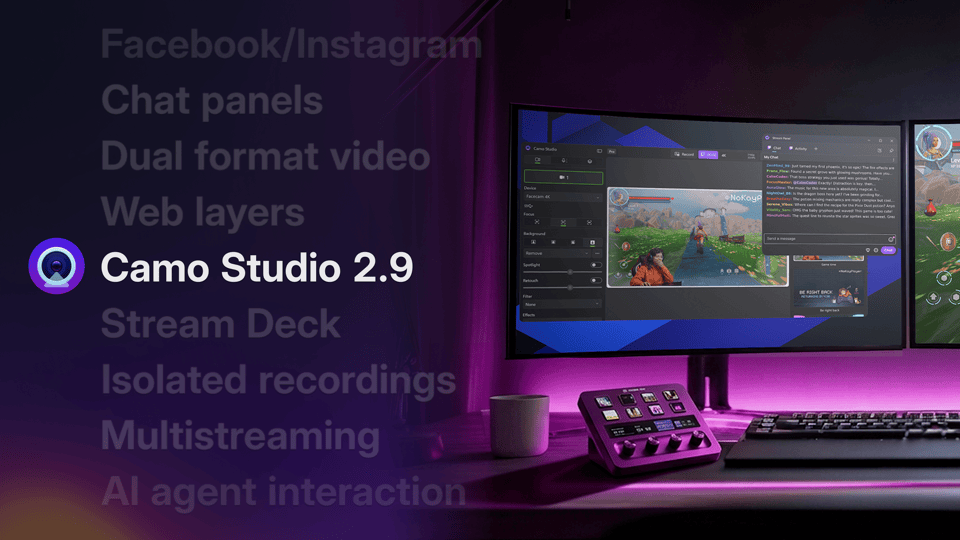
Presentamos Camo Studio 2.9

Camo Studio 2.9 lleva multistreaming, capas web, paneles de streaming acoplables y un plugin para Elgato Stream Deck a Windows, y video en doble formato, grabaciones aisladas, reducción de ruido y compatibilidad con agentes de IA a macOS, además de transmisión directa a Facebook e Instagram en ambos.

Lucas Canino
Windows

Camo Studio 2.9.1.25575 publicado

This update fixes a few audio issues.

Let us know what you think by using the in-app feedback mechanism or via camo.com/support. We'd love to help and hear from you.

1 mejora

  • We improved Web Overlay Audio to perform better when your PC is under load.

1 corrección

  • We fixed an issue that could prevent Audio from working when using Windows Audio Enhancements.

Windows

Camo Studio 2.9.0.25455 publicado

Today's update is all about going live. You can now stream to several destinations at once with multistreaming, reach new audiences on Instagram, Facebook and Kick, and keep an eye on your chat and stream info with stream panels. We've also brought live web pages into your scenes with web layers, added an Elgato Stream Deck plugin, and redesigned onboarding to get you set up faster.

Let us know what you think by using the in-app feedback mechanism or via camo.com/support. We'd love to help and hear from you.

6 funciones

  • You can now go live to several destinations at once with multistreaming.
  • Added Instagram, Facebook and Kick as streaming destinations.
  • Added stream panels, so you can keep your chat and stream information beside your scene while you're live.
  • You can now add web layers, bringing live web pages straight into your scenes.
  • Added an Elgato Stream Deck plugin, so you can control Camo Studio from your Stream Deck.
  • Redesigned onboarding with ready-made scenes to help you get set up for your use case faster.

7 mejoras

  • You can now set any streaming bitrate, with a warning instead of a hard limit.
  • Camo Studio now spots a failing stream to a custom destination and stops it for you.
  • You can now apply an input delay to system and app audio, not just your microphone.
  • Simplified the audio effects controls to make them easier to use.
  • Added extended controls for the Razer Kiyo V2 Pro.
  • Improved streaming at higher resolutions.
  • Camo Studio's audio now works over Remote Desktop, as long as your audio isn't being redirected to your local machine.

15 correcciones

  • We've fixed a bug where a stream wouldn't stop if you stopped it right after starting.
  • We've corrected how the YouTube streaming settings appear after your YouTube sign-in has been revoked.
  • We've fixed an issue that could incorrectly unregister your licence.
  • We've solved a problem where the Start Streaming button could stop responding after a microphone permission prompt.
  • We've resolved a crash that could occur after renaming an imported filter and relaunching.
  • We've fixed a crash that could happen when removing and re-adding the same filter.
Mostrar 9 más
  • We've fixed a bug where double-clicking an imported filter could open a different one.
  • We've made sure that resetting your adjustments also turns off Compensation.
  • We've solved an issue where Magic Background downloads wouldn't resume after your PC woke from sleep.
  • We've fixed a crash that could occur when working with several layers at once.
  • We've resolved a blank area that could appear when switching between scenes of different shapes.
  • We've fixed slider dragging on touch screens.
  • We've also fixed a few issues with how the app appears in Traditional Chinese and other languages.
  • We've resolved some cases where popups and docked panels used the wrong theme.
  • We've fixed a rare crash in the audio engine.
Leer más

Windows

Camo Studio 2.8.1.24340 publicado

Today's update brings multi-source audio mixing to everyone in Camo Studio. You can now combine several inputs at once in a new Audio tab: your microphones, your phone's mic, your computer's system audio and audio from a specific app. We've also added a scene background layer, along with the usual round of improvements and fixes.

Let us know what you think by using the in-app feedback mechanism or via camo.com/support. We'd love to help and hear from you.

3 funciones

  • Multi-source audio mixing is now available to everyone, moving out of the add-ons catalogue. You can add your microphones, your phone's mic, your computer's system audio and audio from a specific app as separate tracks, each with its own volume, mute and sync controls.
  • You can now apply noise cancellation to your microphone, filtering out background sound so your voice comes through clearly.
  • You can now add a background layer to a scene, setting a solid colour or image as its backdrop, independent of your camera's background.

5 mejoras

  • Improved frame timing for smoother, more consistent video.
  • Improved the Flyout's global keyboard shortcut controls.
  • Camo Studio will now warn you if your camera cannot deliver the framing or background mode you've selected.
  • Improved keyboard navigation for the background picker and on-screen controls.
  • We've given our USB icons a facelift.

15 correcciones

  • We've fixed a bug where the camera wouldn't always resume after your PC woke from sleep.
  • We've resolved an issue where 'Remove background' wouldn't work on scenes created in earlier versions.
  • We've fixed a bug where the device picker could get stuck on 'Select a device' after an Android phone reconnected.
  • We've made sure the record button no longer stays disabled after you pause the feed.
  • We've fixed an issue where your selected Snap lens wasn't restored when relaunching.
  • We've fixed a few issues that could occur when using Camo Studio on a touch screen.
Mostrar 9 más
  • We've resolved an issue where the app could close unexpectedly while installing an add-on.
  • We've fixed a crash that could happen when your streaming status changed.
  • We've also fixed a crash that could occur after a camera was disconnected.
  • We've fixed a rare crash on launch.
  • We've fixed a few issues that could occur after camera permissions were revoked.
  • We've solved an issue where Exposure wouldn't always match the slider on iPhones.
  • We've fixed a bug where the 'Dismiss' button on a notification could launch the app.
  • We've fixed an issue with dragging scenes in the Gallery.
  • We've fixed some display issues in right-to-left layouts.
Leer más

Del blog

Presentamos Camo Studio 2.8

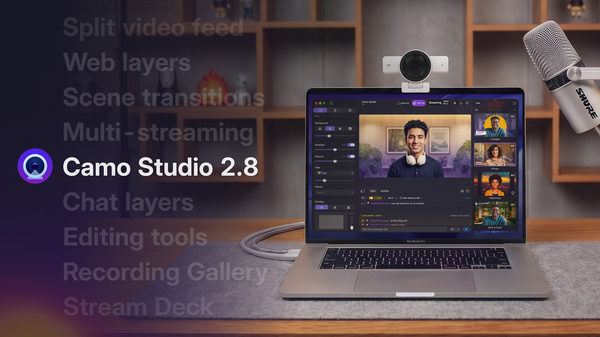
Camo Studio 2.8 es uno de los lanzamientos más importantes que hemos publicado hasta ahora, con un paquete de nuevas funciones y mejoras que los usuarios ya pueden disfrutar. Estas incluyen un conjunto de herramientas de mezcla de audio en Windows, además de compatibilidad con capas web y de chat, multistreaming, transiciones de escena y mucho más en macOS.

Windows

Camo Studio 2.7.4.23650 publicado

Today’s update squashes a number of bugs.

Let us know what you think by using the in-app feedback mechanism or at support@reincubate.com. We’d love to help and hear from you.

Ver los 5 cambios

1 mejora

  • The Compatibility Add-on should now install on a wider variety of machines.

4 correcciones

  • Fixed an issue where Camo Studio could stop functioning when the Windows Desktop restarts
  • Fixed an issue that could happen when resetting a scene.
  • Fixed an issue that could happen when reading update changelogs.
  • Fixed an issue that could happen when using Responsive Focus on Razer cameras.

Windows

Camo Studio 2.7.3.23200 publicado

This release fixes a minor issue.

Let us know what you think by using the in-app feedback mechanism or via: camo.com/support. We’d love to help and hear from you.


Windows

Camo Studio 2.7.2.22736 publicado

Today’s update introduces the Flyout, a new quick-access control panel that expands from the Camo Studio icon in the system tray. We’re also bringing a redesigned Gallery which unifies Scenes, Backgrounds, and Filters into a single window, a new in-app feedback mechanism, plus a host of quality of life improvements to make the controls and information you need more accessible. Find out more in our release blog: https://camo.com/blog/camo-flyout-feedback

As usual, the release is also packed with performance optimisations and fixes. Let us know what you think by using the in-app feedback mechanism or via: camo.com/support. We’d love to help and hear from you.

Ver los 39 cambios

3 funciones

  • Added a new Flyout to control Camo Studio, accessed with the configurable global hotkey, Shift+Win+E by default, or from the tray icon: Single left-click opens the Flyout, double left-click opens the full Camo Studio app.
  • Combined galleries for Overlays, Filters, and Backgrounds into a unified Gallery window
  • Introduced low-light compensation adjustment to help your image look better in dim environments

7 mejoras

  • Added a recently connected devices section to the Devices dropdown, so you can quickly reconnect to a device you’ve used before
  • Added a display under the device selection dropdown to show USB speed for UVC cameras, useful to check if your device is getting the full bandwidth it needs
  • Added a character limit when naming Profiles, Scenes, and Collections
  • Updated sidebar warnings to be clearer, and added a tooltip for the Video Sources section
  • Added a badge to the taskbar icon to show notification count
  • Added a User Feedback window to make it easier for users to provide feedback within the app, you can find it in the configuration menu
  • Added extended support for additional devices: Razer Kiyo Pro (V1) & Kiyo Pro Ultra (V1)

29 correcciones

  • Fixed the app not being resizable in certain areas of the top bar
  • Fixed built-in cameras being grouped as virtual cameras
  • Fixed recordings and streams being unavailable or not starting
  • Fixed various issues related to image adjustments and camera switching
  • Fixed errors when starting the app after changing video rotation in camera settings
  • Fixed some bugs in the Background Gallery and the Scene Gallery
Mostrar 23 más
  • Fixed a noticeable increase in memory usage on AMD devices with ML enabled while idle
  • Fixed some minor issues that could occur during onboarding
  • Fixed high contrast themes requiring an app restart to apply
  • Fixed Camo Studio consuming the camera when auto-launched on startup
  • Fixed effects breaking when switching devices on phones
  • Fixed audio indicators not reacting to sound and recordings missing audio
  • Fixed Camo Studio caching the name of paired cameras
  • Fixed an iPhone warning persisting after the phone is disconnected
  • Fixed Camo Studio not being removed from camera options when the main app is uninstalled and the compatibility layer remains (ARM)
  • Fixed a FileNotFoundException crash when reading the settings folder
  • Fixed the Undo and Redo buttons in the scene editor being stuck disabled
  • Fixed a faulty AppData folder preventing Camo Studio from launching
  • Fixed multiple instances of the app causing a crash on launch
  • Fixed switching profiles not updating unsupported scene settings in the video feed
  • Fixed devices not being removed from the list when deleted until re-launch
  • Fixed an internal issue when working with emoji hands
  • Fixed no message appearing when camera permissions are disabled
  • Fixed the filter intensity slider not working
  • Fixed the Remove option for Replace Background no longer working
  • Fixed a video processing error when switching the processing device
  • Fixed the physical green screen having no effect or not applying values correctly
  • Fixed editor elements becoming unmovable
  • Fixed a silent crash when right-clicking the system tray icon with no devices connected

Del blog

Presentamos Camo Studio 2.7

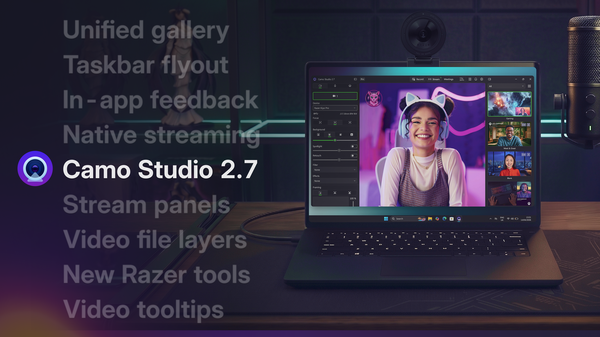
Hemos mejorado la experiencia de usuario en Windows, añadido potentes funciones de streaming nativas para macOS y ampliado nuestra compatibilidad avanzada con las cámaras Kiyo de Razer a las Kiyo Pro y Pro Ultra.

Windows

Camo Studio 2.7.1.22574 publicado

Today’s update introduces the Flyout, a new quick-access control panel that expands from the Camo Studio icon in the system tray. We’re also bringing a redesigned Gallery which unifies Scenes, Backgrounds, and Filters into a single window, a new in-app feedback mechanism, plus a host of quality of life improvements to make the controls and information you need more accessible. Find out more in our release blog: https://camo.com/blog/camo-flyout-feedback

As usual, the release is also packed with performance optimisations and fixes. Let us know what you think by using the in-app feedback mechanism or via: camo.com/support. We’d love to help and hear from you.

Ver los 39 cambios

3 funciones

  • Added a new Flyout to control Camo Studio, accessed with the configurable global hotkey, Shift+Win+E by default, or from the tray icon: Single left-click opens the Flyout, double left-click opens the full Camo Studio app.
  • Combined galleries for Overlays, Filters, and Backgrounds into a unified Gallery window
  • Introduced low-light compensation adjustment to help your image look better in dim environments

7 mejoras

  • Added a recently connected devices section to the Devices dropdown, so you can quickly reconnect to a device you’ve used before
  • Added a display under the device selection dropdown to show USB speed for UVC cameras, useful to check if your device is getting the full bandwidth it needs
  • Added a character limit when naming Profiles, Scenes, and Collections
  • Updated sidebar warnings to be clearer, and added a tooltip for the Video Sources section
  • Added a badge to the taskbar icon to show notification count
  • Added a User Feedback window to make it easier for users to provide feedback within the app, you can find it in the configuration menu
  • Added extended support for additional devices: Razer Kiyo Pro (V1) & Kiyo Pro Ultra (V1)

29 correcciones

  • Fixed the app not being resizable in certain areas of the top bar
  • Fixed built-in cameras being grouped as virtual cameras
  • Fixed recordings and streams being unavailable or not starting
  • Fixed various issues related to image adjustments and camera switching
  • Fixed errors when starting the app after changing video rotation in camera settings
  • Fixed some bugs in the Background Gallery and the Scene Gallery
Mostrar 23 más
  • Fixed a noticeable increase in memory usage on AMD devices with ML enabled while idle
  • Fixed some minor issues that could occur during onboarding
  • Fixed high contrast themes requiring an app restart to apply
  • Fixed Camo Studio consuming the camera when auto-launched on startup
  • Fixed effects breaking when switching devices on phones
  • Fixed audio indicators not reacting to sound and recordings missing audio
  • Fixed Camo Studio caching the name of paired cameras
  • Fixed an iPhone warning persisting after the phone is disconnected
  • Fixed Camo Studio not being removed from camera options when the main app is uninstalled and the compatibility layer remains (ARM)
  • Fixed a FileNotFoundException crash when reading the settings folder
  • Fixed the Undo and Redo buttons in the scene editor being stuck disabled
  • Fixed a faulty AppData folder preventing Camo Studio from launching
  • Fixed multiple instances of the app causing a crash on launch
  • Fixed switching profiles not updating unsupported scene settings in the video feed
  • Fixed devices not being removed from the list when deleted until re-launch
  • Fixed an internal issue when working with emoji hands
  • Fixed no message appearing when camera permissions are disabled
  • Fixed the filter intensity slider not working
  • Fixed the Remove option for Replace Background no longer working
  • Fixed a video processing error when switching the processing device
  • Fixed the physical green screen having no effect or not applying values correctly
  • Fixed editor elements becoming unmovable
  • Fixed a silent crash when right-clicking the system tray icon with no devices connected
Leer más

Windows

Camo Studio 2.6.1.20759 publicado

With today's update, we're making it easier to discover one of our most exciting beta features: Streaming. You'll now find it right in the main toolbar – Camo Studio's native streaming support lets you go live directly to YouTube, Twitch, or any RTMP destination, with more platforms on the way.

We're exploring how Camo can make getting started with streaming more accessible, and we'd love to hear your feedback as this feature evolves. Let us know what you think by using the in-app feedback mechanism or via: camo.com/support

Ver los 5 cambios

1 mejora

  • Improved UI for Streaming to make it easier for users to discover this beta feature

4 correcciones

  • Fixed an issue that could cause a crash on launch involving Windows Management Instrumentation
  • Fixed an issue that could cause a crash during onboarding if Camo Studio was set to launch on startup
  • Fixed an issue that caused a crash when adding YouTube streaming accounts
  • Fixed an issue that caused inconsistent shutter speed data on Razer V2X devices

Del blog

Presentamos Camo Studio 2.6

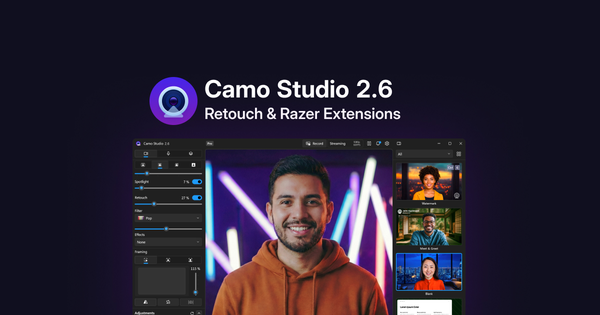
Presentamos Retoque, un nuevo efecto que mejora tu apariencia digital en video, junto con una integración más profunda con las webcams Kiyo V2 de Razer que ofrece un mayor control sobre las funciones que ofrecen estos dispositivos.

Windows

Camo Studio 2.6.0.20543 publicado

Today’s update introduces Retouch, a new effect that helps enhance your digital appearance on video, along with a suite of extensions for the Razer Kiyo V2 range of webcams, including support for HDR, video noise reduction and more. You can read more about it in our release blog.

As usual, the release is also packed with performance optimisations and fixes. Let us know what you think by using the in-app feedback mechanism or at support@reincubate.com. We’d love to help and hear from you.

Ver los 26 cambios

4 funciones

  • Introduced a new dedicated Settings dropdown in the top navigation bar, which replaces the old menu hidden behind the app logo
  • Introduced Retouch, which applies a subtle, adjustable effect to your image to enhance your digital appearance on video
  • Extended integration between Camo Studio and Camo Streamlight
  • Extended support for several USB cameras, including Razer Kiyo V2 and Kiyo V2 X

5 mejoras

  • Improved UI to allow new users to complete onboarding flow before displaying the main window
  • Improved UI for multi-setting Adjustments, such as exposure and white balance
  • Improved analytics and reporting
  • Optimized process for checking if iTunes/Apple Devices is present for Camo Camo iOS wired connections
  • Update the app’s login flow to go via the website, introducing support for SSO authentication in the process

17 correcciones

  • Fixed compatibility add-on installs triggering automatic computer restart
  • Fixed URIs not opening a new prompt if Settings screen is already opened on a different page
  • Fixed uninstalling AMDS from Windows Settings not updating Add-ons Gallery until app is restarted
  • Fixed a Video Processing Error on Camo Studio MSI when enabling ML
  • Fixed Explorer showing incorrect file formats when importing into Camo.
  • Fixed overlapping text on Physical Green Screen values
Mostrar 11 más
  • Fixed System.InvalidOperationException Crash in Camo Studio
  • Fixed Emoji Hands not working
  • Fixed exposure and white balance values for mobile devices not being saved if they're set to a manual value
  • Fixed missing text in the Update section of the Settings menu
  • Fixed Framing settings being reset on app restart
  • Fixed invalid values for background mode on exported Scenes
  • Fixed AMDS add-on failing to install
  • Fixed Compatibility add-on failing to install
  • Fixed editing Custom Variable images on Personalise not working
  • Fixed Getting Started videos breaking if 'Help & Support' is opened first
  • Fixed an issue where long Scene names caused the thumbnail to shrink
Leer más

Windows

Camo Studio 2.5.1.18823 publicado

This release fixes an issue affecting our Camo Camera users, along with a handful of fixes.

We'd love to hear what you think. Get in touch via reincubate.com/support.

Ver los 3 cambios

3 correcciones

  • Fixed exposure slider not being continuous for Camo Camera devices.
  • Fixed camera selector not working when no initial physical camera is connected.
  • Fixed certain errors not getting handled correctly and failing to be reported.

Windows

Camo Studio 2.5.0.18436 publicado

Camo Studio for Windows 2.5 brings a focus on performance and stability, with a major platform upgrade under-the-hood enabling improved efficiency and security updates. This update also includes a better way to manage your Add-ons in the app, a couple smaller UI tweaks, and a whole bunch of fixes.

We'd love to hear what you think. Get in touch via reincubate.com/support.

Features

Improvements

Fixes

-

Ver los 31 cambios

4 funciones

  • Added resolution and frame rate display in Profiles dropdown button in the titlebar to represent how Profiles are used to control these.
  • Introduced notched shutter speed slider providing precise, stepped control for UVC cameras that better reflect the actual value in-use by the device.
  • Added text variables dropdown to scene editor, making it easier to see what variables are available for use in text layers in the scene.
  • Introduced unified Add-Ons management with smart upgrade prompts, less intrusive notifications during onboarding and better progress indicators. This makes it easier to see what add-ons are installed, including the Compatibility Add-on, Apple device support and so on, and manage them in one place.

8 mejoras

  • Raised minimum Windows version to Windows 10 build 19041 (version 2004, May 2020) for better security and compatibility.
  • AI models now automatically release more system resources when not in use, reducing memory consumption and improving battery life.
  • File browser now remembers the last used folder when adding multiple backgrounds with proper format filters displayed.
  • Getting Started content is now translated correctly based on the system setting for supported languages.
  • Scene name length limits now enforced during creation and renaming.
  • Audio track volume and mute states now persist correctly when the app’s audio engine is reset or the app is restarted.
  • Significantly improved AI performance on Intel machines delivering substantially faster AI-powered background effects with reduced system load.
  • Enhanced AMD hardware support with improved face detection and intelligent fallback when drivers need updating.

19 correcciones

  • Fixed crashes when adding backgrounds, pausing or resuming video, starting screen capture sessions, and removing scene elements.
  • Fixed audio crashes when adding sources and processing audio in rare circumstances.
  • Fixed AI processing crashes on systems with older AMD graphics drivers.
  • Fixed profiles dropdown not highlighting correctly after expansion with improved visual feedback.
  • Fixed "Save Image" button being incorrectly disabled and Collections context menu button missing in galleries.
  • Fixed main UI greyed out after updating until window clicked and overlay incorrectly capturing input.
Mostrar 13 más
  • Fixed overlapping text on shutter speed value display with proper lens metadata truncation.
  • Fixed "Could not launch browser" errors when clicking Settings links and hardware video encoding breaking after errors.
  • Fixed scenes not retaining selected background mode correctly on first launch.
  • Fixed camera release issues when closing app to system tray.
  • Fixed emoji hands toggle not persisting and authentication-related crash.
  • Fixed audio occasionally skipping in recordings and streams.
  • Fixed Getting Started window appearing on system boot and error messages displaying formatting issues.
  • Fixed issue where specific scene names could be lost on restart.
  • Fixed crash when detecting system information in virtual machines.
  • Fixed potential crash during settings migration from Camo 2.1.
  • Fixed microphone permissions dialogue not appearing properly if triggered during auto-start.
  • Fixed an issue where the update changelog could cause the app’s Settings to lag and become unresponsive.
  • Fixed an issue where Centre Stage framing mode would not appear when a compatible device was present, and improved fallback to the previously selected framing mode when the function becomes unavailable.

Windows

Camo Studio 2.4.2.17565 publicado

This update fixes an issue with our Beta Add-ons. If you run into any problems, please reach out to us at support@reincubate.com. We'd love to help and hear from you.


Windows

Camo Studio 2.4.0.17541 publicado

This update brings a host of performance and reliability improvements, including layer renaming, improved controls for USB devices like webcams and built-in cameras, fixes for framing and Smart Zoom for Camo Camera devices, and upgrades to our AI processing framework across supported platforms.

As always, we thank our community for their feedback and support. If you run into any problems, please reach out to us at support@reincubate.com. We'd love to help and hear from you.

Ver los 40 cambios

2 funciones

  • Added layer renaming in the scene editor for better organization and editing experience.
  • Camo Studio will now auto-start when its video starts to be used by a third-party application.

23 mejoras

  • Updated hardware processing icon to a bolt symbol for better clarity.
  • Better support for hiding specific USB devices like VR headsets.
  • Reordered adjustment controls to group like controls and order by popularity.
  • Exposure and white balance now properly reset to "Auto" when disabled on UVC devices such as webcams.
  • Improved visibility of disabled controls and high contrast theme support across the app.
  • Made "Delete" button the default for delete scene dialog.
  • Improved "Remove Profile" button spacing and appearance in the Profiles settings pane.
  • Pan control box updates properly when using Auto Framing with iPhone.
  • Zoom slider behavior improved when switching between Auto Framing modes.
  • Better handling of non-16:9 aspect ratios in pan control.
  • Exposure handling corrected when switching from USB to Android cameras.
  • Broadcast channel selection reliability improved.
  • Streaming is now automatically disabled if GPU hardware processing is unavailable, as rendering capability would be insufficient to stream properly.
  • Scene variable notifications now appear correctly when switching scenes.
  • Scene shortcut blur fixed in right-to-left layouts.
  • Scene shortcut boxes no longer appear on both sides in Arabic language.
  • Scene backup creation now handles errors more gracefully.
  • Corner radius rounding now supports full 0-100% range.
  • Updated RyzenAI integration for improved AI performance on AMD platforms.
  • Improved OpenVINO/DML error handling on Intel systems.
  • Reduced memory usage for AI workloads on ARM processors.
  • Improved narrator and keyboard navigation for title bar buttons.
  • Fixed various translation and localization issues throughout the app.

15 correcciones

  • Fixed crash on Windows 10 PCs with sRGB color profile.
  • Fixed crashes that could block Windows Hello functionality.
  • Fixed camera resolution being reset when reconnecting devices.
  • Fixed mute buttons not working in some configurations.
  • Fixed app launch issues on systems without audio render devices.
  • Fixed issue where denying camera permission could still allow recording.
Mostrar 9 más
  • Fixed contrast themes making selected dropdowns unreadable.
  • Fixed spotlight effect appearance when disabled.
  • Fixed camera orientation handling for UVC devices.
  • Smart Zoom now works correctly with iOS devices.
  • Prevented out-of-frame panning on Android devices.
  • Fixed broadcast channel deselection when channel still exists.
  • Fixed scene thumbnails updating unexpectedly in Explore.
  • File picker dialogs now work correctly when running as administrator.
  • Getting started content is now translated as expected.

Windows

Camo Studio 2.3.3.17005 publicado

This release fixes an issue affecting our users on iPhones.

If you run into any problems, please reach out to us at support@reincubate.com. We’d love to help and hear from you.


Windows

Camo Studio 2.3.2.16913 publicado

This release fixes an issue affecting our users on Intel platforms.

If you run into any problems, please reach out to us at support@reincubate.com. We’d love to help and hear from you.


Windows

Camo Studio 2.3.1.16861 publicado

This release fixes an issue affecting our users on older Intel platforms.

If you run into any problems, please reach out to us at support@reincubate.com. We’d love to help and hear from you.


Windows

Camo Studio 2.3.0.16489 publicado

Today’s update brings some big changes to the app. We've put a lot of thought into how best to improve the process of making amazing video, and have implemented new features and improvements we think will make it simpler and faster, while expanding what Camo users can do.

As always, we thank our community for their help in reaching this next stage of Camo's journey, and look forward to seeing the magic our users create with their new video superpowers. Your feedback is vital to what we do, and we'd love to hear how this new Camo experience works for you.

Ver los 21 cambios

11 funciones

  • Added new and improved Scenes – a more accessible and convenient way to manage your overlays, settings and adjustments
  • Introduced the Explore section to the scene, background and filter galleries
  • Added Profiles to simplify output configuration settings like resolution and FPS
  • Added Screen Capture functionality, enabling sharing of windows, apps and displays
  • (Beta Add-on) Added multi-source audio mixing support and overhauled audio controls
  • (Beta Add-on) Added support for multi-cam scenes for incorporating multiple video feeds into a single output, e.g. for combining capture card footage with a picture-in-picture shot
  • (Beta Add-on) Added the ability to stream video directly from Camo Studio to popular streaming platforms, like YouTube and Twitch
  • Added canvas background customisation in the Scene Editor
  • Added support for video feed background removal in the Replace background mode
  • Added the ability to copy-paste layers in the Scene Editor
  • Added exposure compensation adjustment

7 mejoras

  • Added command line support for certain Camo Studio functions
  • Updated license activation to use a browser redirection mechanism
  • Change warning system UI to notifications, always show notifications toolbar item
  • Added links to support in the Getting Started window
  • Added quick-access to recently created recordings via the notification
  • Improved visual feedback and notifications for "Camera Locked" state & added auto-retry function
  • Update the Ryzen AI SDK (Vitis) to v1.4 for improvements to segmentation quality and model caching/loading performance

3 correcciones

  • Fixed LHS UI / Effects dropdown placement
  • Fixed Release Notes window crashes on PCs with fonts that don't have a "en-us" family name
  • Fixed "Entry Point Not Found" error when launching Camo on Intel
Leer más

Del blog

Presentamos Camo Studio 2.3

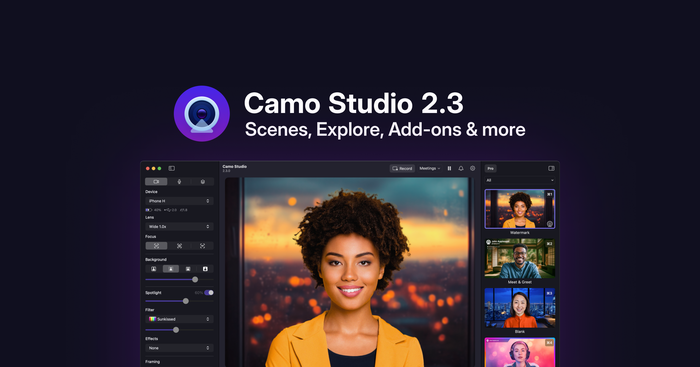
Camo Studio 2.3 es una de nuestras actualizaciones más grandes hasta la fecha, y facilita conseguir un video que destaque gracias a las Escenas y los Perfiles nuevos y mejorados, la compatibilidad con Captura de pantalla y un nuevo mecanismo de Complementos.

Windows

Camo Studio 2.1.34.13818 publicado

Today's update includes a few fixes while we work on the next big update to Camo. If you're curious, you can get early access to some of what's coming next with the beta signup here.

If you run into any problems, please reach out to us at support@reincubate.com. We'd love to help and hear from you.

Ver los 2 cambios

2 correcciones

  • We've fixed a problem that could occur when starting the app for the first time with Japanese language.
  • We've fixed a rare issue that was caused by specific PNG images on Windows 10.

Windows

Camo Studio 2.1.32.13574 publicado

Today's update is all about processing effects on your processor effectively.

If you run into any problems, please reach out to us at support@reincubate.com. We'd love to help and hear from you.

Ver los 11 cambios

2 funciones

  • Camo Studio now takes full advantage of AMD Ryzen AI processors for segmentation, making the most out of their integrated NPUs.
  • Camo Studio can now be controlled through Windows Studio Effects! Toggling camera effects in the Windows Quick Settings will update them in Camo's output, and Camo will ensure effects are never duplicated.

2 mejoras

  • Changes made to USB webcams by other software should no longer impact Camo Studio's video output.
  • USB webcams will now indicate in Camo Studio's interface which adjustments they handle at the hardware level.

7 correcciones

  • We've fixed a problem that could occur when enumerating USB webcams.
  • High Performance mode can now be toggled on or off even if the app is being run with Administrator privileges.
  • We've fixed an issue where changing resolution could crop your green screen background incorrectly.
  • We've fixed a rare issue that could happen when running Camo Studio offline.
  • We've fixed a very rare issue that could happen when Camo Studio is searching for video/audio devices.
  • We've fixed an unbelievably rare issue that could happen when closing a popup.
Mostrar 1 más
  • The onboarding window should now always onboard you successfully. 🧑‍✈️

Windows

Camo Studio 2.1.26.13113 publicado

Today's update brings a nice purple shade to Camo Studio.

If you run into any problems, please reach out to us at support@reincubate.com. We'd love to help and hear from you.

Ver los 6 cambios

3 mejoras

  • We've rounded off our icon and given it a lush new color scheme to match the other iterations of Camo Studio on iPad and Mac.
  • Camo Studio's startup time has been sped up a bit further.
  • We've tweaked our face-tracking algorithms to follow your face more gracefully.

3 correcciones

  • We've fixed a problem with Chinese languages where the app could appear in English.
  • We've fixed an issue that could occur when launching the app on Windows 10 with virtual sRGB color profiles.
  • A phantom popup that could appear when switching users has been swiftly dealt with.

Windows

Camo Studio 2.1.21.12935 publicado

Today's update brings a basket of improvements to cap off the Summer!

If you run into any problems, please reach out to us at support@reincubate.com. We'd love to help and hear from you.

Ver los 14 cambios

4 funciones

  • Camo Studio is now available in 14 more languages! This updates includes Danish, Norwegian, Finnish, Polish, Czech, Greek, Taiwan Chinese, Hungarian, Turkish, Slovenian, Hebrew, Slovakian, Ukrainian and Hindi.
  • Camo Studio now supports running AI effects on Intel's Lunar Lake NPUs.
  • You can now have Camo Studio start automatically alongside your computer if installed through the Microsoft Store.
  • For battery-powered PCs, Camo Studio will now prioritize efficiency over image quality if you're not plugged in. This can be changed in Advanced Settings.

5 mejoras

  • We've sped up Camo Studio's startup time a bit.
  • The app will now handle the physical orientation of integrated webcams, similar to phone cameras. For the 2-in-1 PC in your life...
  • Camo Studio will now try to automatically recover from hardware errors in more scenarios.
  • AI models will now automatically unload on ARM devices when not in use.
  • We've improved keyboard navigation and narrator support in a few more spots in the app.

5 correcciones

  • We've fixed a problem with Face tracking and automatic zoom when multiple faces were on video.
  • We've fixed a few issues that could occur when using Camo Studio's Taskbar icon on touch screens.
  • The scene editor will now allow linebreaks in text elements.
  • We've fixed an issue that could happen when installing the MS Store Compatibility Add-On on a separate user account.
  • A few rough edges have been sanded off in Camo Studio's user interface. It's no big facelift...yet.

Windows

Camo Studio 2.1.13.12312 publicado

Today’s update brings a new method of pairing your mobile devices to Studio. If you run into any problems, please reach out to us at support@reincubate.com. We’d love to help and hear from you.

Ver el cambio

1 mejora

  • We’ve added the option to pair mobile devices by sharing a file from Studio to your device.

Windows

Camo Studio 2.1.12.12142 publicado

Today’s update contains improvements for Camo’s AI features, with full support for the new Snapdragon X Elite/Plus AI PCs.

If you run into any problems, please reach out to us at support@reincubate.com. We'd love to help and hear from you.

Ver los 3 cambios

1 mejora

  • We've improved the way we run our AI-based effects on Qualcomm NPUs.

2 correcciones

  • We've resolved a problem where scene files could be locked by other processes.
  • We've fixed an issue that could happen when pausing the Camo Camera.

Windows

Camo Studio 2.1.11.11612 publicado

Today's update contains an improvement of Camo's AI features.

If you run into any problems, please reach out to us at support@reincubate.com. We'd love to help and hear from you.

Ver el cambio

1 mejora

  • We've improved the way we run our AI-based effects on AMD integrated GPUs.

Windows

Camo Studio 2.1.10.11600 publicado

Today's update fixes an issue related to Camo's AI features.

If you run into any problems, please reach out to us at support@reincubate.com. We'd love to help and hear from you.

Ver el cambio

1 corrección

  • We’ve resolved a problem which led to a stray alert being displayed for some users when Camo Studio is loaded.

Windows

Camo Studio 2.1.9.11594 publicado

Today's update is all about helping you make the most out of Camo's AI features!

If you run into any problems, please reach out to us at support@reincubate.com. We'd love to help and hear from you.

Ver los 4 cambios

2 funciones

  • We’ve added support for offload of AI/ML segmentation to Intel’s Core Ultra NPUs, alongside Camo’s existing support for Qualcomm’s NPUs. Great for longer battery life and enhanced performance. AI PC, here we go!
  • Camo now has an “ML processing” selector in Settings, enabling you to control how and where AI/ML workloads are run on your PC.

1 mejora

  • We've improved the fidelity of our built-in Emoji Hands filter. 👌

1 corrección

  • We've fixed a bug that could cause some webcams to appear as potential Android devices.

Windows

Camo Studio 2.1.8.11248 publicado

Today’s update introduces a few small updates. Meanwhile, we’re hard at work on something big. Keep your eyes out for it.

If you run into any problems, please reach out to us at support@reincubate.com. We'd love to help and hear from you.

Ver los 2 cambios

2 correcciones

  • We’ve fixed a bug where installing the compatibility add-on would not show a success message on completion.
  • Camo Studio now has a workaround to handle a few USB webcams with broken low-light handling. Darkness no more!

Windows

Camo Studio 2.1.7.11111 publicado

Today’s update brings a basket of improvements to start off the New Year.

If you run into any problems, please reach out to us at support@reincubate.com. We'd love to help and hear from you.

Ver los 9 cambios

2 mejoras

  • Videos from our Help guide can now be controlled through the Windows Quick Settings.
  • The Help guide should now load its video content more efficiently.

7 correcciones

  • We’ve fixed a bug that could prevent Camo Studio from working properly after bringing your PC out of Standby.
  • Clicking the video preview to refocus your phone camera should now work again.
  • Loading our camera effects should no longer fail if your processing device happens to reset itself at the same time.
  • We’ve fixed an issue where some .cube LUTs couldn’t be imported into Camo Studio.
  • Camo Studio’s USB Android support has been patched up to fix rare crashes related to its initialisation.
  • We’ve gotten rid of a rare bug that could happen when connecting wirelessly to an iPhone.
Mostrar 1 más
  • Our tooltips have been polished off to a pixel-perfect shine, no matter your display scaling.


Windows

Camo Studio 2.1.5.10998 publicado

With today’s update, we’re bringing Emoji hands to all cameras… even on ARM devices!

If you run into any problems, please reach out to us at support@reincubate.com. We'd love to help and hear from you.

Ver los 10 cambios

3 funciones

  • Emoji hands are now available under the AR menu for all cameras. Give it a shot! ✌️
  • Camo Studio is now available for ARM-based Windows devices on the Microsoft Store: This includes all our standout video features like segmentation, filters and scenes.
  • You can now edit all of Camo’s image adjustment values by clicking on them – In case you need to dial in your temperature _just right_!

3 mejoras

  • We’ve changed video players for our Help guides! Videos should load faster and you can now adjust playback speed.
  • As a treat, we’re now including the open-source _Inter_ font, which you can use in your Scenes out of the box. Additionally, we’ll now warn you if the Scene you’re using relies on fonts not installed on your computer.
  • Importing images into your Scenes should now respect their rotation EXIF metadata.

4 correcciones

  • We’ve fixed various issues in the Scene editor, including a missing font weight for text elements.
  • The panning tool should now handle any video orientation you throw at it.
  • We’ve fixed an issue where image stretching could be incorrect in Scenes imported from the macOS version of Camo Studio.
  • Some spinning rings were loitering around in the preview zoom menu… We told them to pack up and leave.

Windows

Camo Studio 2.1.4.10797 publicado

Today’s update brings a few changes and bug fixes related to languages.

If you run into any problems, please reach out to us at support@reincubate.com. We'd love to help and hear from you.

Ver los 3 cambios

1 mejora

  • Camo Studio will now honour the “Preferred languages” list in Windows Settings.

2 correcciones

  • We’ve gotten rid of a crash that could happen when initialising Android USB support.
  • We’ve fixed an issue where some language options would show English instead.

Windows

Camo Studio 2.1.3.10628 publicado

Today’s update overhauls our built-in scene templates! If you run into any problems, please reach out to us at support@reincubate.com. We'd love to help and hear from you.

Ver el cambio

1 función

  • We’ve updated our bundled Templates, bringing in some goodies from Camo Studio for iPad.

Windows

Camo Studio 2.1.2.10578 publicado

Today’s update brings scene variables to Camo Studio, making it even easier to personalise your look. We've also made reconnecting your phone over Wi-Fi faster and more intuitive.

If you run into any problems, please reach out to us at support@reincubate.com. We'd love to help and hear from you.

Ver los 7 cambios

1 función

  • Overlays have become *Scenes*! You can now set image and text variables to easily apply your brand everywhere. We have included a few built-in variables you can tweak and instantly use in our included Templates.

2 mejoras

  • Camo will now automatically scan for paired wireless devices when you open the device list.
  • Virtual Cameras installed on your PC are now shown on their own section in the device list, making them easier to spot.

4 correcciones

  • We’ve fixed an issue where images in Overlays/Scenes could be rendered at a lower quality.
  • Camo Studio should no longer pause automatically if you’re only using its audio output.
  • We’ve fixed an issue where pausing could work incorrectly when putting your PC in Sleep mode.
  • The pan tool has been given a fine for exceeding the speed limit and should now be easier to use when framing your video.

Windows

Camo Studio 2.1.1.10464 publicado

Today’s update ties up some loose ends from last week’s release. 🪢

We’re also adding Arabic to our language list, bringing the total to 13!

If you run into any problems, please reach out to us at support@reincubate.com. We'd love to help and hear from you.

Ver los 4 cambios

1 función

  • Camo Studio is now translated to Arabic, including full right-to-left support.

3 correcciones

  • The new Update notification window should not bother you mid-call anymore.
  • We've fixed some spots where translated text could be cut off or hard to read.
  • Camo Studio should now let your PC go to sleep, even if you’re currently using a phone camera. Sweet dreams!

Windows

Camo Studio 2.1.0.10439 publicado

Today’s update brings localisation into 11 new languages, alongside new onboarding and learning resources.

This version will also shortly be going live in the Microsoft Store!

If you run into any problems, please reach out to us at support@reincubate.com. We'd love to help and hear from you.

Ver los 12 cambios

2 funciones

  • We have turned our Help window into a brand new guidebook, containing frequently-updated videos and links.
  • Camo Studio for Windows is now fully translated for 12 languages!

5 mejoras

  • Camo will now automatically select a device on launch if available to help you get filming ASAP.
  • In the same vein, when pairing a new device over Wi-Fi, Camo will automagically connect to it.
  • Camo will now tell you if Camera or Microphone permissions have been turned off by Windows, and help you get back on track.
  • We’ve overhauled our update window while moving it into Settings: look forward to it the next time you read this!
  • Camo's UI has been touched up to look better if you have "Show accent color on title bars and window borders" enabled.

5 correcciones

  • We've fixed some USB connection issues with Android that could happen when disconnecting/reconnecting your device.
  • The Compatibility Pack should now download properly for everyone, even if you're on a slow Internet connection!
  • We've fixed an issue where valid Pro licenses were mistakenly considered expired.
  • Emojis should now show up in the paired devices view properly. 😎🤳📶
  • The Settings Window will now be centered properly when opening.

Windows

Camo Studio 2.0.8.10296 publicado

Today’s update fixes a rare bug impacting users with certain graphics cards. If you run into any problems, please reach out to us at support@reincubate.com. We'd love to help and hear from you.

Ver el cambio

1 corrección

  • We've fixed an issue which happened at launch for users with certain graphics cards.

Windows

Camo Studio 2.0.7.10272 publicado

Today's release is all about recording, with support for microphones in Camo and saving video locally to your PC! If you run into any problems, please reach out to us at support@reincubate.com. We'd love to help and hear from you.

Ver los 8 cambios

2 funciones

  • You can now record video files with Camo! Use the new recording controls on the top-right side of the window to get filming.
  • Camo now supports microphones! Use audio from any microphone connected to your PC in Camo Studio. We've also added an audio delay setting to fix rare issues where audio and video are out of sync, which can be enabled in the Advanced tab of the app settings.

1 mejora

  • If you’re using a NVIDIA GPU, portrait effects should be more efficient.

5 correcciones

  • We’ve restrained our notification panel so it doesn’t expand infinitely if you have lots of notifications queued up.
  • We've fixed an issue where overlays imported from macOS could have their elements ordered backwards.
  • The Camo Studio Fluent UI should now show up properly in VMWare virtual machines.
  • Some UI elements were not appearing as disabled in some cases – Shouldn’t happen now!
  • We've fixed an issue which could happen if you imported custom backgrounds to Camo Studio and then removed the imported images from your PC.

Windows

Camo Studio 2.0.6.10138 publicado

Today’s release in a minor maintenance update.

Ver el cambio

1 mejora

  • Updated the app’s security settings. If you see a Smart Screen warning after updating, this will be why. Rest assured, that is fully expected!
Ayuda