Zum Hauptinhalt springen
Hilfe

Camo Studio Versionshinweise

Camo holen

Windows

Camo Studio 2.3.2.16913 veröffentlicht

This release fixes an issue affecting our users on Intel platforms.

If you run into any problems, please reach out to us at support@reincubate.com. We’d love to help and hear from you.


Windows

Camo Studio 2.3.1.16861 veröffentlicht

This release fixes an issue affecting our users on older Intel platforms.

If you run into any problems, please reach out to us at support@reincubate.com. We’d love to help and hear from you.


Windows

Camo Studio 2.3.0.16489 veröffentlicht

Today’s update brings some big changes to the app. We've put a lot of thought into how best to improve the process of making amazing video, and have implemented new features and improvements we think will make it simpler and faster, while expanding what Camo users can do.

As always, we thank our community for their help in reaching this next stage of Camo's journey, and look forward to seeing the magic our users create with their new video superpowers. Your feedback is vital to what we do, and we'd love to hear how this new Camo experience works for you.
11 Funktionen

  • Added new and improved Scenes – a more accessible and convenient way to manage your overlays, settings and adjustments
  • Introduced the Explore section to the scene, background and filter galleries
  • Added Profiles to simplify output configuration settings like resolution and FPS
  • Added Screen Capture functionality, enabling sharing of windows, apps and displays
  • (Beta Add-on) Added multi-source audio mixing support and overhauled audio controls
  • (Beta Add-on) Added support for multi-cam scenes for incorporating multiple video feeds into a single output, e.g. for combining capture card footage with a picture-in-picture shot
  • (Beta Add-on) Added the ability to stream video directly from Camo Studio to popular streaming platforms, like YouTube and Twitch
  • Added canvas background customisation in the Scene Editor
  • Added support for video feed background removal in the Replace background mode
  • Added the ability to copy-paste layers in the Scene Editor
  • Added exposure compensation adjustment

7 Verbesserungen

  • Added command line support for certain Camo Studio functions
  • Updated license activation to use a browser redirection mechanism
  • Change warning system UI to notifications, always show notifications toolbar item
  • Added links to support in the Getting Started window
  • Added quick-access to recently created recordings via the notification
  • Improved visual feedback and notifications for "Camera Locked" state & added auto-retry function
  • Update the Ryzen AI SDK (Vitis) to v1.4 for improvements to segmentation quality and model caching/loading performance

3 Fehlerbehebungen

  • Fixed LHS UI / Effects dropdown placement
  • Fixed Release Notes window crashes on PCs with fonts that don't have a "en-us" family name
  • Fixed "Entry Point Not Found" error when launching Camo on Intel
Weiterlesen

macOS

Camo Studio 2.3.2.16475 veröffentlicht

Today’s update of Camo Studio brings bug fixes and reliability improvements to our latest 2.3 release. If you run into any problems, please reach out to us at support@reincubate.com. We'd love to help and hear from you.

Die Änderung ansehen

1 Fehlerbehebung

  • Ensure Camo Studio and its helper are installed as expected to avoid issues with inter-process communication.

macOS

Camo Studio 2.3.1.16318 veröffentlicht

Today’s update of Camo Studio brings bug fixes and reliability improvements to our latest 2.3 release. If you run into any problems, please reach out to us at support@reincubate.com. We'd love to help and hear from you.

Alle 2 Änderungen ansehen

2 Fehlerbehebungen

  • Resolved an issue when using Camo Studio with a Switcher camera device.
  • Improved reliability of communication to connected Android devices.

macOS

Camo Studio 2.3.0.16180 veröffentlicht

Camo Studio 2.3 begins rolling out today, bringing some big changes to the app. We've put a lot of thought into how best to improve the process of making amazing video, and have implemented new features and improvements we think will make it simpler and faster, while expanding what Camo users can do.

As always, we thank our community for their help in reaching this next stage of Camo's journey, and look forward to seeing the magic our users create with their new video superpowers. Your feedback is vital to what we do, and we'd love to hear how this new Camo experience works for you.

Alle 44 Änderungen ansehen

15 Funktionen

  • Added new and improved Scenes – a more accessible and convenient way to manage your overlays, settings and adjustments.
  • Introduced the Explore section to the scene, background and filter galleries, which are now all combined in a single, unified interface.
  • Added Profiles to simplify output configuration settings like resolution and FPS.
  • Added multi-source audio mixing support and overhauled audio controls
  • (Beta Add-on) Added Screen Capture functionality, enabling sharing of windows, apps and displays
  • (Beta Add-on) Added support for multi-cam scenes for incorporating multiple video feeds into a single output, e.g. for combining capture card footage with a picture-in-picture shot
  • (Beta Add-on) Added the ability to stream video directly from Camo Studio to popular streaming platforms, like YouTube and Twitch
  • Added canvas background customisation in the Scene Editor
  • Updated the menu bar fly-out to include a live preview, quick actions and a scene selector
  • Added support for video feed background removal in the Replace background mode
  • Added the ability to rename and copy-paste layers in the Scene Editor
  • Added support for animated image layers in scenes
  • Updated "click to focus" to use a popover instead of the preview feed
  • Added a built-in feedback mechanism, including an issue reporter with automated log uploads
  • Added exposure compensation slider

20 Verbesserungen

  • Updated to our custom video segmentation model for improved performance
  • Added the ability to hide the Camo Studio menu bar item
  • Redesigned macOS preferences to match the latest platform principles
  • Added command line support for certain Camo Studio functions
  • Updated license activation to use a browser redirection mechanism
  • Change warning system UI to notifications, always show notifications toolbar item
  • Added customisation of the global hotkey to open the expanded menu bar fly-out
  • Update VoiceOver support
  • Updated Shortcuts support
  • Added links to support in the Getting Started window
  • Added warning to sidebar when the user has the macOS 15 native background feature turned on
  • Added quick-access to recently created recordings via the notification
  • Updated to use a better colour picker
  • Localised the onboarding flow
  • Added local network permissions request to onboarding on macOS 15
  • Added confirmation prompt when recording or stream is running on quit
  • Updated layer rotation logic in the Scene Editor
  • Updated the toolbar layout
  • Updated minimum operating system requirements to macOS 12.3 and later
  • Improved Shortcuts localisation

9 Fehlerbehebungen

  • Fixed an issue whereby attempting to undo any property change immediately after moving a layer will also move the layer back to it’s previous position
  • Fixed support for importing multiple scene files by dragging them into the gallery
  • Stopped Camo Studio from opening automatically when removing Camo Studio notifications from macOS Notification Center
  • Made UVC settings configuration more robust to avoid crashes caused by certain cameras’ requirements
  • Improved how Continuity Camera devices are presented to users to avoid confusion
  • Fixed a memory leak related to Android device support
3 weitere anzeigen
  • Fixed formatting issues in the installer
  • Fixed an issue where connected Camo Camera iOS devices would continuously connect/disconnect when multiple user accounts were running Camo Studio simultaneously
  • Fixed a crash triggered by clicking the notifications panel from the toolbar overflow menu
Weiterlesen

Aus dem Blog

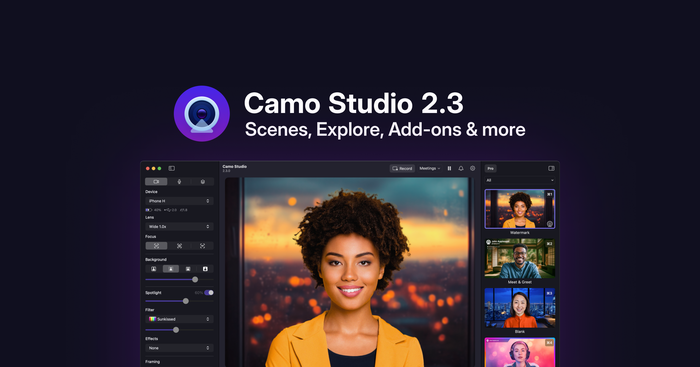
Wir stellen vor: Camo Studio 2.3

Camo Studio 2.3 ist eines unserer bisher größten Updates und macht es einfacher, herausragendes Video zu erzielen – mit neuen und verbesserten Szenen, Profilen, Unterstützung für die Bildschirmaufnahme und einem neuen Add-ons-Mechanismus.

Windows

Camo Studio 2.1.34.13818 veröffentlicht

Today's update includes a few fixes while we work on the next big update to Camo. If you're curious, you can get early access to some of what's coming next with the beta signup here.

If you run into any problems, please reach out to us at support@reincubate.com. We'd love to help and hear from you.

Alle 2 Änderungen ansehen

2 Fehlerbehebungen

  • We've fixed a problem that could occur when starting the app for the first time with Japanese language.
  • We've fixed a rare issue that was caused by specific PNG images on Windows 10.


Windows

Camo Studio 2.1.32.13574 veröffentlicht

Today's update is all about processing effects on your processor effectively.

If you run into any problems, please reach out to us at support@reincubate.com. We'd love to help and hear from you.

Alle 11 Änderungen ansehen

2 Funktionen

  • Camo Studio now takes full advantage of AMD Ryzen AI processors for segmentation, making the most out of their integrated NPUs.
  • Camo Studio can now be controlled through Windows Studio Effects! Toggling camera effects in the Windows Quick Settings will update them in Camo's output, and Camo will ensure effects are never duplicated.

2 Verbesserungen

  • Changes made to USB webcams by other software should no longer impact Camo Studio's video output.
  • USB webcams will now indicate in Camo Studio's interface which adjustments they handle at the hardware level.

7 Fehlerbehebungen

  • We've fixed a problem that could occur when enumerating USB webcams.
  • High Performance mode can now be toggled on or off even if the app is being run with Administrator privileges.
  • We've fixed an issue where changing resolution could crop your green screen background incorrectly.
  • We've fixed a rare issue that could happen when running Camo Studio offline.
  • We've fixed a very rare issue that could happen when Camo Studio is searching for video/audio devices.
  • We've fixed an unbelievably rare issue that could happen when closing a popup.
1 weitere anzeigen
  • The onboarding window should now always onboard you successfully. 🧑‍✈️

macOS

Camo Studio 2.1.7.13148 veröffentlicht

Today’s update brings some fixes for users running macOS 15. If you run into any problems, please reach out to us at support@reincubate.com. We’d love to help and hear from you.

Die Änderung ansehen

1 Fehlerbehebung

  • We fixed an issue where Camo would stop appearing in other apps when used with a mobile device.

Windows

Camo Studio 2.1.26.13113 veröffentlicht

Today's update brings a nice purple shade to Camo Studio.

If you run into any problems, please reach out to us at support@reincubate.com. We'd love to help and hear from you.

Alle 6 Änderungen ansehen

3 Verbesserungen

  • We've rounded off our icon and given it a lush new color scheme to match the other iterations of Camo Studio on iPad and Mac.
  • Camo Studio's startup time has been sped up a bit further.
  • We've tweaked our face-tracking algorithms to follow your face more gracefully.

3 Fehlerbehebungen

  • We've fixed a problem with Chinese languages where the app could appear in English.
  • We've fixed an issue that could occur when launching the app on Windows 10 with virtual sRGB color profiles.
  • A phantom popup that could appear when switching users has been swiftly dealt with.

Windows

Camo Studio 2.1.21.12935 veröffentlicht

Today's update brings a basket of improvements to cap off the Summer!

If you run into any problems, please reach out to us at support@reincubate.com. We'd love to help and hear from you.

Alle 14 Änderungen ansehen

4 Funktionen

  • Camo Studio is now available in 14 more languages! This updates includes Danish, Norwegian, Finnish, Polish, Czech, Greek, Taiwan Chinese, Hungarian, Turkish, Slovenian, Hebrew, Slovakian, Ukrainian and Hindi.
  • Camo Studio now supports running AI effects on Intel's Lunar Lake NPUs.
  • You can now have Camo Studio start automatically alongside your computer if installed through the Microsoft Store.
  • For battery-powered PCs, Camo Studio will now prioritize efficiency over image quality if you're not plugged in. This can be changed in Advanced Settings.

5 Verbesserungen

  • We've sped up Camo Studio's startup time a bit.
  • The app will now handle the physical orientation of integrated webcams, similar to phone cameras. For the 2-in-1 PC in your life...
  • Camo Studio will now try to automatically recover from hardware errors in more scenarios.
  • AI models will now automatically unload on ARM devices when not in use.
  • We've improved keyboard navigation and narrator support in a few more spots in the app.

5 Fehlerbehebungen

  • We've fixed a problem with Face tracking and automatic zoom when multiple faces were on video.
  • We've fixed a few issues that could occur when using Camo Studio's Taskbar icon on touch screens.
  • The scene editor will now allow linebreaks in text elements.
  • We've fixed an issue that could happen when installing the MS Store Compatibility Add-On on a separate user account.
  • A few rough edges have been sanded off in Camo Studio's user interface. It's no big facelift...yet.

macOS

Camo Studio 2.1.6.12923 veröffentlicht

Today’s release includes improvements to wireless connections and some changes behind the scenes.

If you run into any problems, please reach out to us at support@reincubate.com. We’d love to help and hear from you.

Alle 2 Änderungen ansehen

1 Verbesserung

  • Camo Studio will automatically select Continuity Camera on launch if it was previously selected.

1 Fehlerbehebung

  • We’ve fixed stutters in some situations when using wireless connections and improved latency.

Windows

Camo Studio 2.1.13.12312 veröffentlicht

Today’s update brings a new method of pairing your mobile devices to Studio. If you run into any problems, please reach out to us at support@reincubate.com. We’d love to help and hear from you.

Die Änderung ansehen

1 Verbesserung

  • We’ve added the option to pair mobile devices by sharing a file from Studio to your device.

macOS

Camo Studio 2.1.5.12260 veröffentlicht

Today’s update brings a new method of pairing your mobile devices to Studio. If you run into any problems, please reach out to us at support@reincubate.com. We’d love to help and hear from you.

Die Änderung ansehen

1 Verbesserung

  • We’ve added the option to pair mobile devices by sharing a file from Studio to your device.

Windows

Camo Studio 2.1.12.12142 veröffentlicht

Today’s update contains improvements for Camo’s AI features, with full support for the new Snapdragon X Elite/Plus AI PCs.

If you run into any problems, please reach out to us at support@reincubate.com. We'd love to help and hear from you.

Alle 3 Änderungen ansehen

1 Verbesserung

  • We've improved the way we run our AI-based effects on Qualcomm NPUs.

2 Fehlerbehebungen

  • We've resolved a problem where scene files could be locked by other processes.
  • We've fixed an issue that could happen when pausing the Camo Camera.


Windows

Camo Studio 2.1.10.11600 veröffentlicht

Today's update fixes an issue related to Camo's AI features.

If you run into any problems, please reach out to us at support@reincubate.com. We'd love to help and hear from you.

Die Änderung ansehen

1 Fehlerbehebung

  • We’ve resolved a problem which led to a stray alert being displayed for some users when Camo Studio is loaded.

Windows

Camo Studio 2.1.9.11594 veröffentlicht

Today's update is all about helping you make the most out of Camo's AI features!

If you run into any problems, please reach out to us at support@reincubate.com. We'd love to help and hear from you.

Alle 4 Änderungen ansehen

2 Funktionen

  • We’ve added support for offload of AI/ML segmentation to Intel’s Core Ultra NPUs, alongside Camo’s existing support for Qualcomm’s NPUs. Great for longer battery life and enhanced performance. AI PC, here we go!
  • Camo now has an “ML processing” selector in Settings, enabling you to control how and where AI/ML workloads are run on your PC.

1 Verbesserung

  • We've improved the fidelity of our built-in Emoji Hands filter. 👌

1 Fehlerbehebung

  • We've fixed a bug that could cause some webcams to appear as potential Android devices.
Hilfe