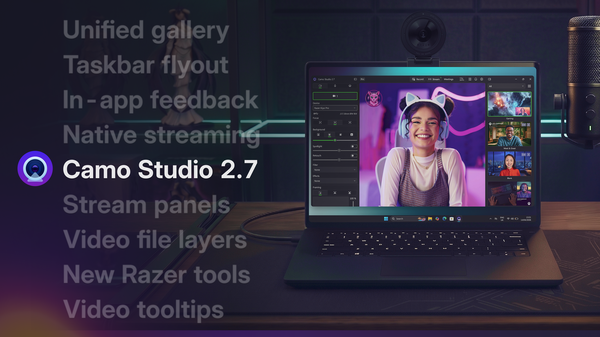
Camo Studio for iPhone is out today, putting all the power of Camo in your pocket and ready to go wherever you take it. There’s everything you’d expect from the Camo Studio experience, including scenes made for vertical and landscape, combined front and rear camera sources, screen capture, AI-powered lighting and background effects, and support for USB and Bluetooth mics – all ready to stream to Twitch, YouTube, Kick and more, and record as you go.
Download it now to try it out, and read on for a closer look at everything you can do with Camo on this new platform.
Here are the highlights
Landscape and vertical scene building
People use their phones in both orientations, often on the same day: vertical for Shorts, landscape for YouTube and Twitch. So every ready-made scene in Camo Studio for iPhone comes in both 9:16 and 16:9, with each version laid out for its shape rather than cropped from the other. If you’d rather build your own, the Scene Editor lets you add a logo and titles and layer camera views, images, shapes, video and web content, in any aspect ratio.
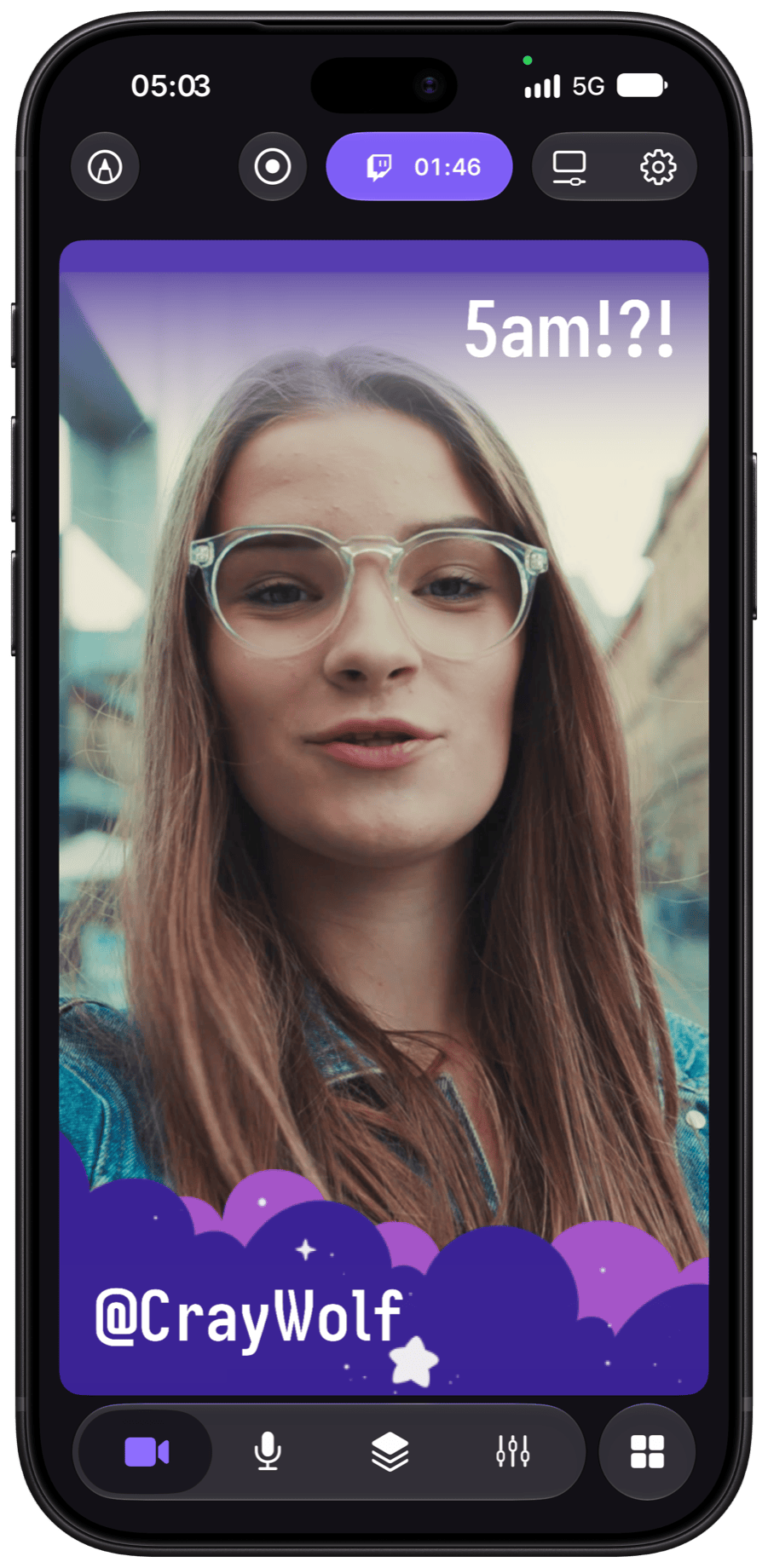
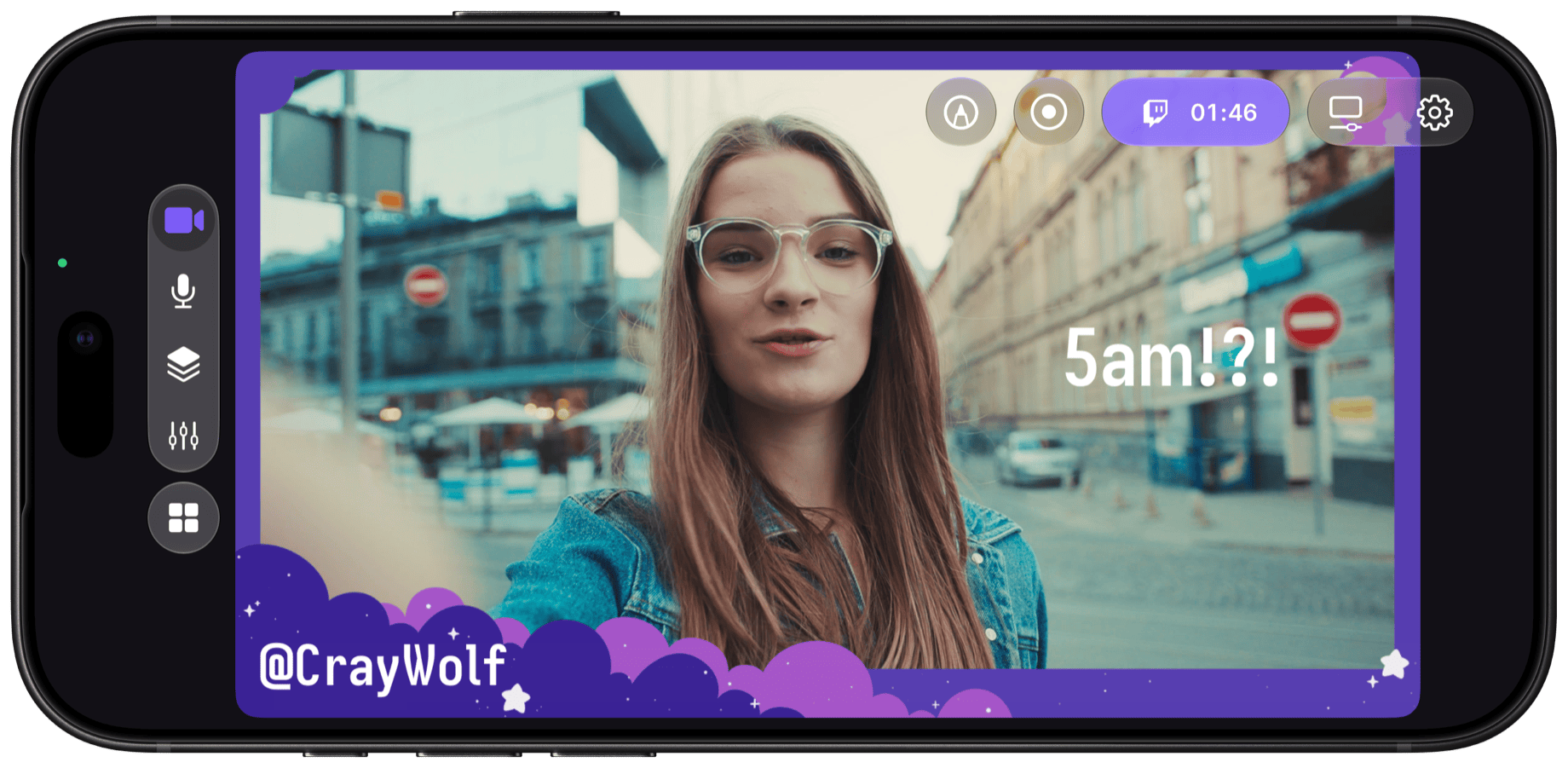
The same scene, laid out for vertical and for landscape.
Multi-camera support
Camo Studio can use your iPhone’s front and rear cameras at the same time, so one phone works as two cameras: one facing you, and one facing whatever you’re showing. Each is a separate source in your scene, so you can place them side by side, inset one in the other, or switch between them, and viewers see both your reaction and what you’re reacting to without you turning the phone around. For a third angle, install Camo Camera on a spare phone or tablet; it connects over Wi-Fi and appears as another source you can add to a scene or switch to.
The back camera and front camera together in one scene, with source settings alongside.
Screen capture
Streaming what’s on your phone has usually meant mirroring it to a computer or connecting a capture card. Camo Studio captures your iPhone’s screen and streams it directly, so for mobile games you can stream from the same device you’re playing on, with chat visible as you play and a recording saved for clips later. It works with other apps too: you can walk viewers through an app, show a drawing or a track as you make it, or give first impressions of something you’ve just downloaded, talking them through it as you go.
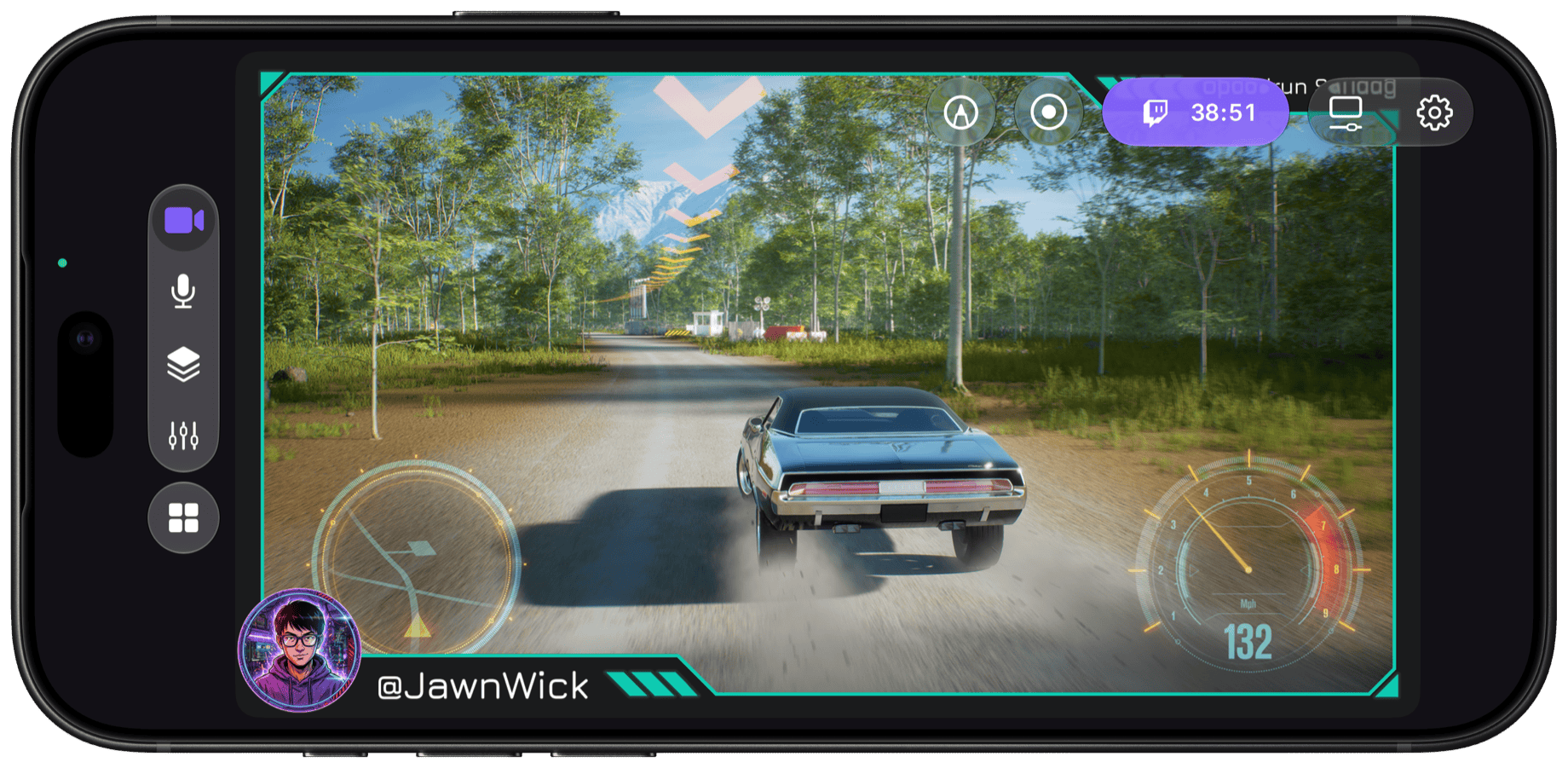
Your game, streamed straight from your iPhone.
Enhancements and adjustments
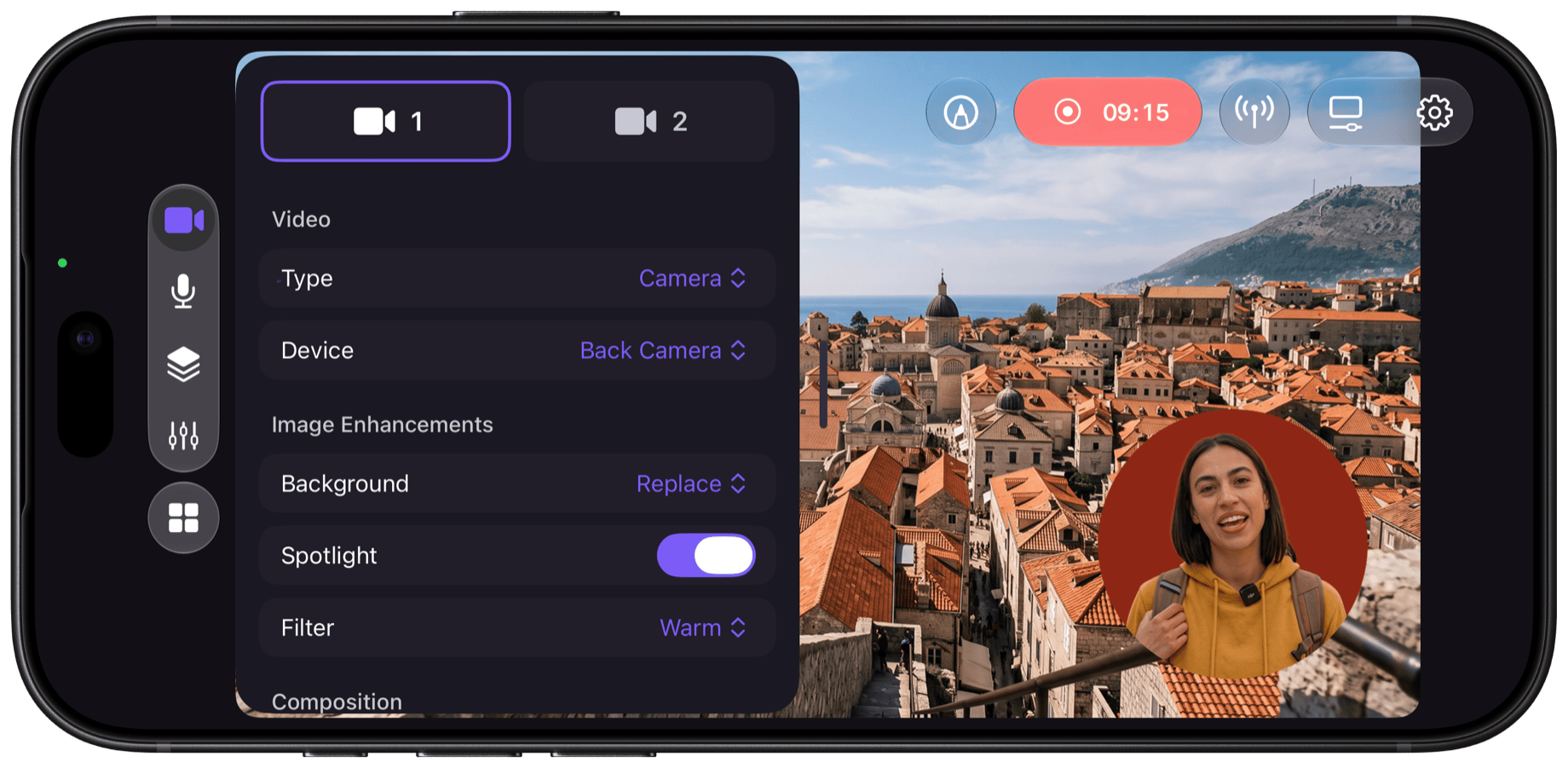
At a desk you can set up a light and choose your backdrop. On a phone you usually can’t: there may be a window behind you, harsh sun, a dim room, or people walking past. So Camo Studio for iPhone includes Camo’s image tools: Spotlight to even out lighting, LUT filters for a consistent look, and the option to blur, remove or replace your background.
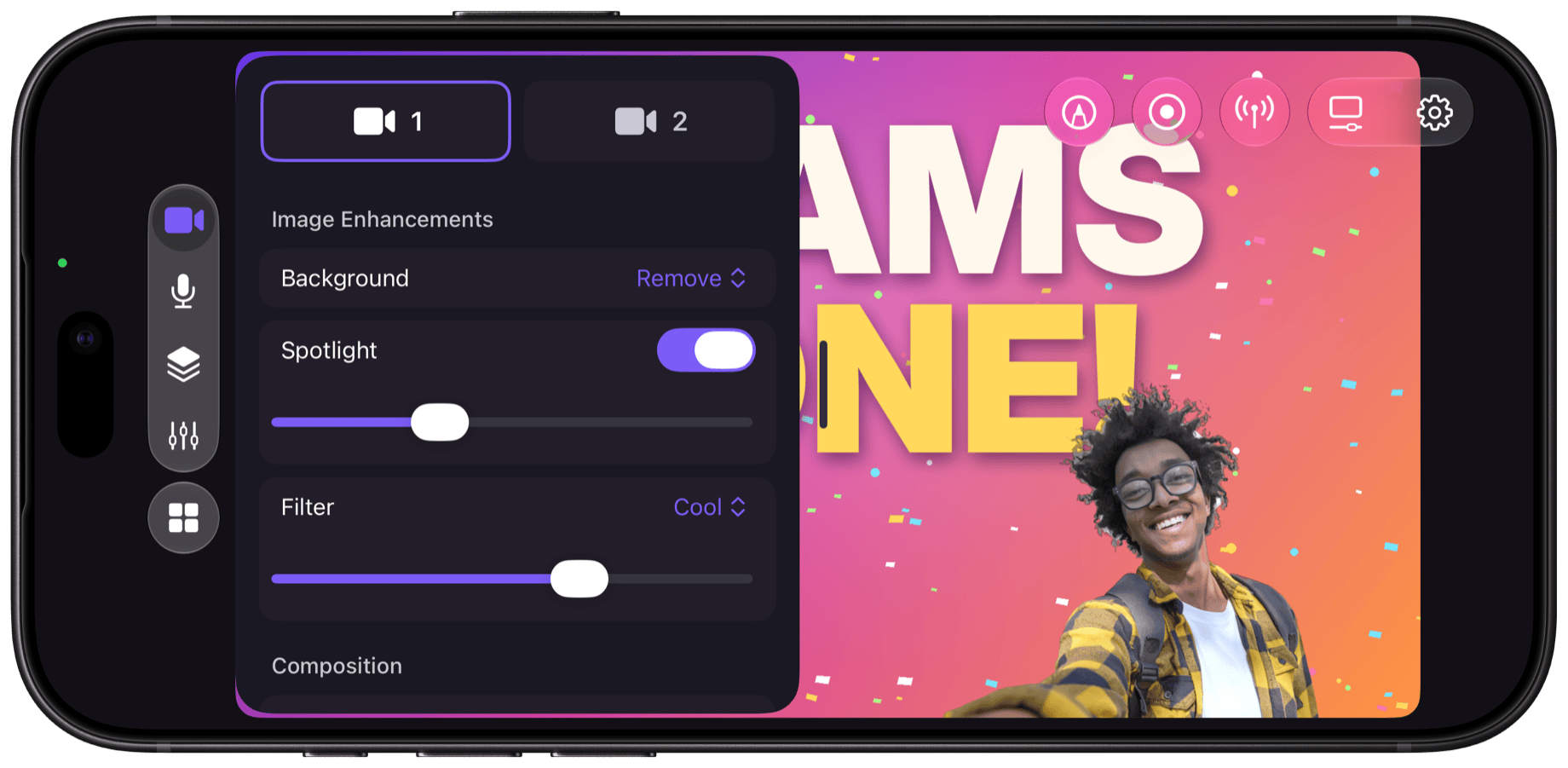
Remove or replace your background, add Spotlight and pick a filter, all from one panel.
USB and Bluetooth microphone support
With the phone at arm’s length, the built-in mic picks up wind and traffic outdoors and echo and background noise indoors. Camo Studio supports USB mics and Bluetooth mics such as AirPods, and uses the one you connect for both your stream and your recordings, so your voice comes through more clearly than the noise around you.
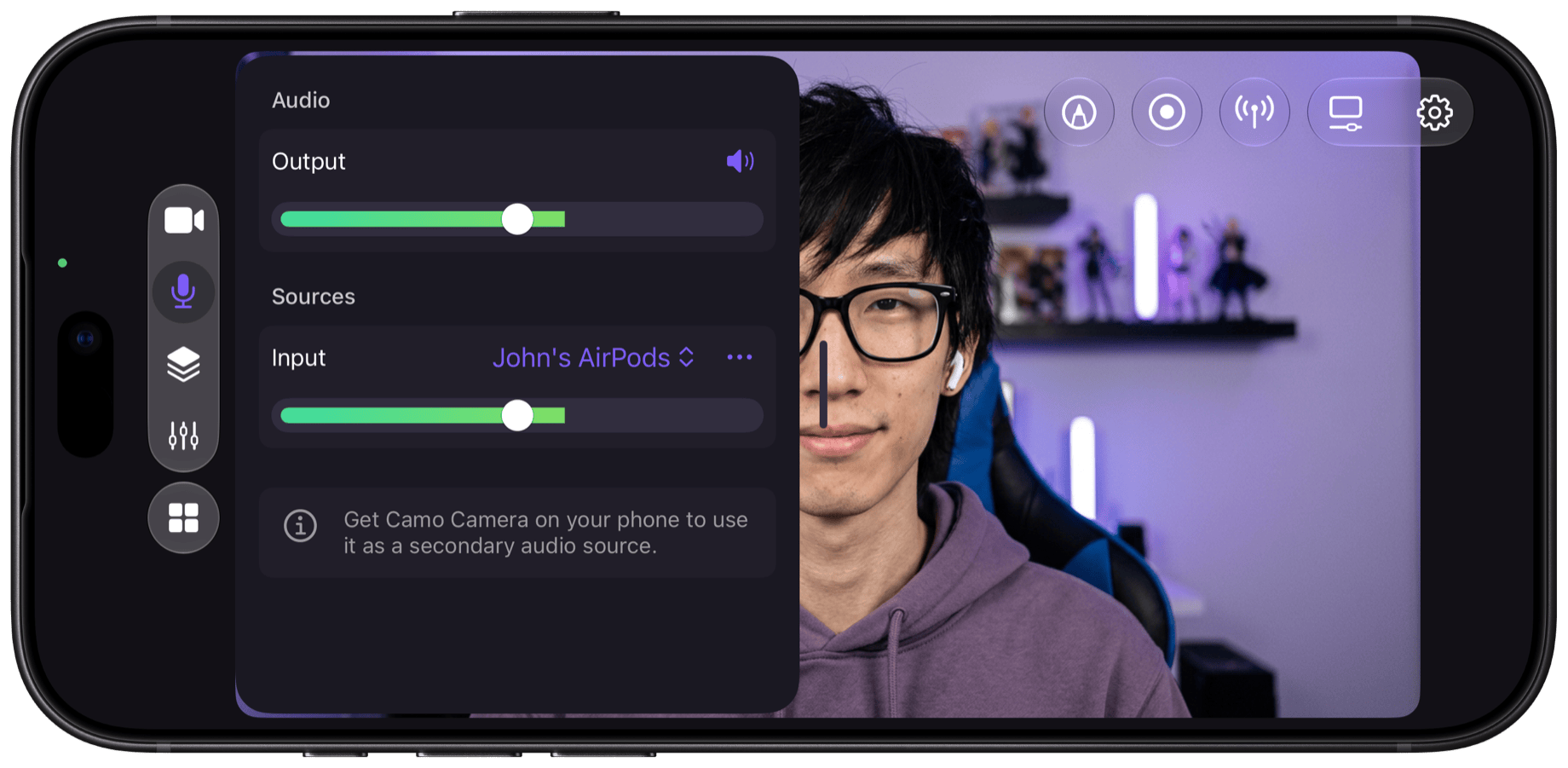
Choose a USB or Bluetooth mic, set your level and pick a microphone mode.
Streaming and recording
Streaming from a phone often means switching between apps to go live, record, and check chat or your connection. Camo Studio streams to Twitch, YouTube and Kick, and to any service that accepts RTMP, with chat, stream health and stream details in panels inside the app. You can also record while you stream; recordings save to Photos, so you can edit them into Shorts, Reels or VODs afterwards.
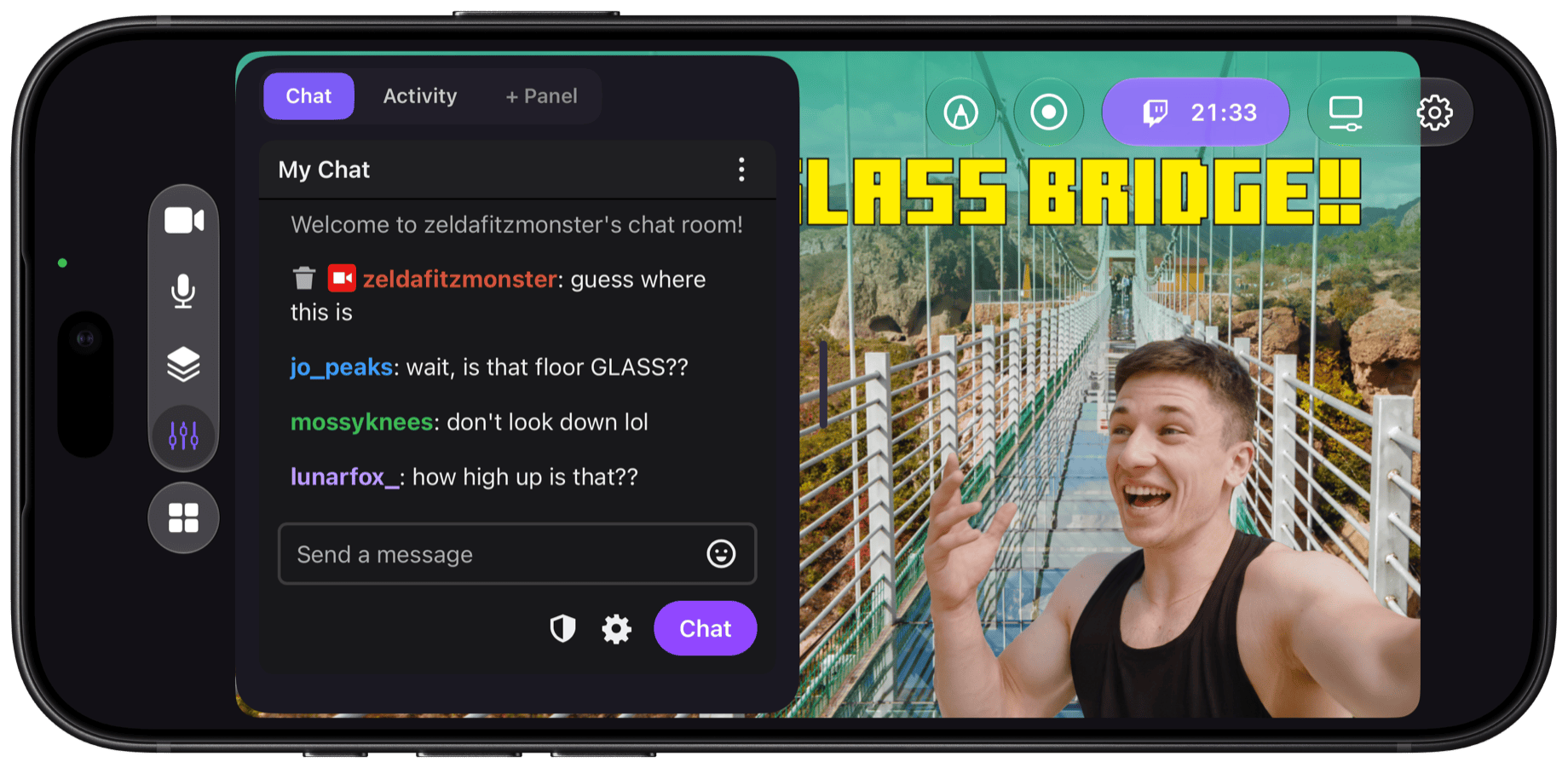
Chat, stream health and stream details, without leaving your scene.
Camo Studio on iPhone Duo
Camo Studio for iPhone is ready for the new iPhone Duo, and makes good use of what’s different about it. Because the Duo folds, its cameras aren’t fixed facing front and back: you can set it at an angle and shoot two different angles at once from one device, such as you and the person you’re talking to, or a wide shot and a close-up.
Of course, the fold changes the screen as well as the cameras, and Camo Studio’s interface adapts to whichever one you’re using, so it feels at home on the compact outer display or the full unfolded experience. When it’s open, Split View lets you run Camo Studio alongside another app on the 7.6-inch inner display, so you can keep notes, a run sheet or a chat window next to your scene. And with the A20 Pro chip keeping things cool, your streams can run longer and steadier.
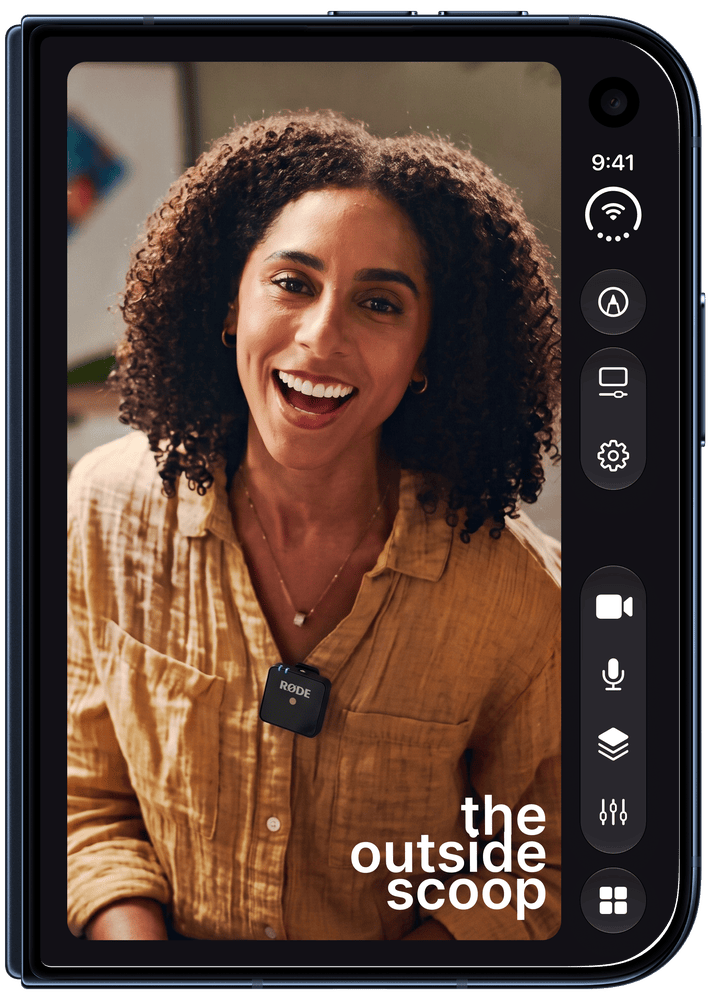
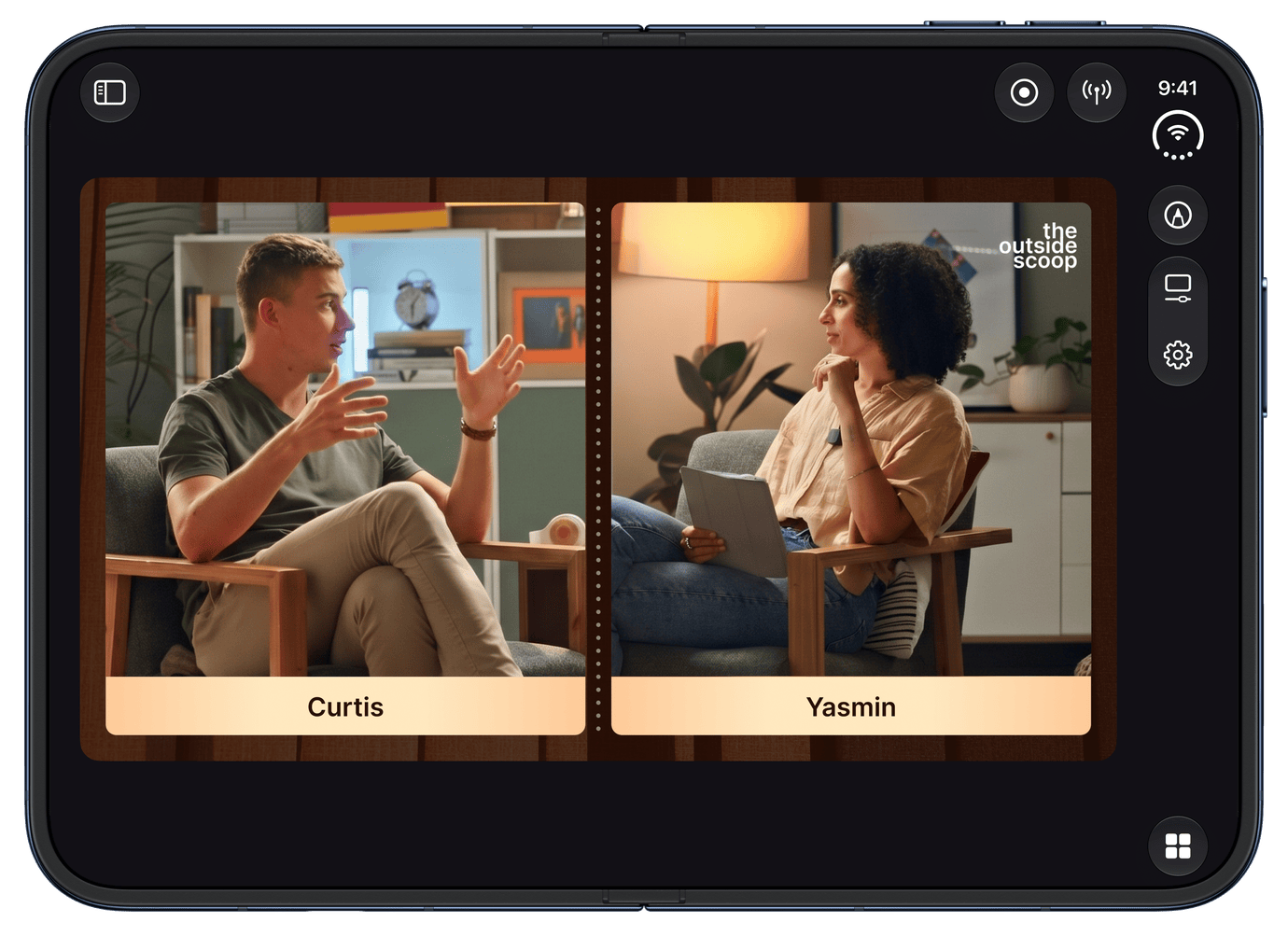
Camo Studio on iPhone Duo, folded (left) and open (right).
Ready to go live from your iPhone?
When we launched Camo Studio for iPad, some beta testers called it “OBS for iPad”, and the question we’ve been asked most since is when it would come to iPhone. This is that release. It also brings Camo back to where it started: Camo began as a way to use your iPhone’s cameras for better video on your computer, and now the whole studio runs on the iPhone itself. It’s satisfying to come full circle with an app we care so much about.
Camo Studio for iPhone is available today, free, on the App Store. It runs on [MODELS] with [iOS VERSION] or later. Find out more at camo.com/studio/iphone.
We can’t wait to see where you take it. Tag us when you go live – we’ll be watching.
And as ever – thanks for your support!